
MODULE 09
System
Users, permissions, organisation, notifications and menus: the backbone that sets CONNECT up around your shipyard’s structure and keeps it running securely.
Role + projectbased permissions5 languagesTR · EN · DE · ES · FR interfaceCustomerusers for ship-owner accessMulticompany support
Three problems System solves
How does it work?
- 1OrganisationDepartments and positions are defined.
- 2Users and permissionsUsers are assigned to groups and projects; managers and deputies are set.
- 3Workflows and notificationsApproval workflows, mail rules and reminders are configured.
- 4PersonalisationMenus, dashboard widgets and list column layouts are tailored per user.
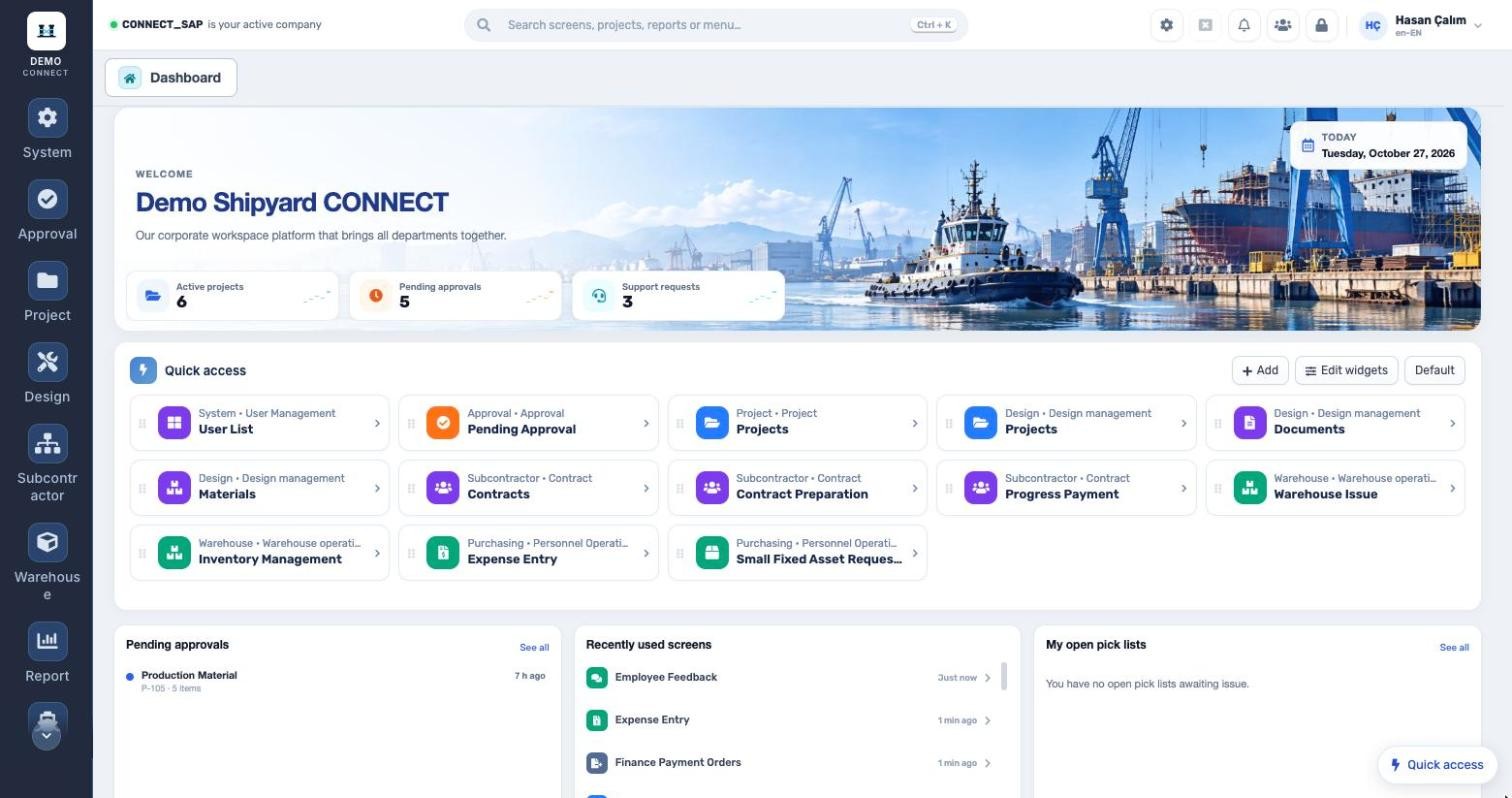
PERSONAL DASHBOARD
Every user sets up their own desk.
Quick-access shortcuts, widget layout, pending approvals, recently used screens and open pick lists. In the top bar: search for screens, projects and reports (Ctrl + K), notifications and instant messaging.
Customer usersUsers for ship owners and customer representatives; with project authorization groups they only see their own projects and the reports shared with them.
Interface in five languagesTurkish, English, German, Spanish and French. Each user picks the language in their own settings; menus and screen titles open in that language.
User managementUser list, group permissions, user notification management; session timeout and delegation.
OrganisationDepartment and position definitions; manager and approval limit details.
Mail and jobsMail management, mail queue and worker management with scheduled reminders.
System definitionsSupport requests, holidays, general parameters and menu management.
Dynamic tablesCompany-specific lists with category 1 and 2 definitions.
List personalisationSaved column layouts, saved filters and Excel export on every list.
MODULE SCOPE
What’s in the menu?
Screens, definitions and reports in the System module. Each user sees only the screens they are authorized for.
Users and organisation
User listGroup permissionsProject permissionsCustomer usersDepartmentPositionNotification managementLanguage selection
Infrastructure
Mail managementMail queueWorker managementGeneral parametersHolidaysMenu managementSupport requests
See the System module with your own data.
Request a demo
© 2026 SENTIA BİLİŞİM SAN. VE TİC. LTD. ŞTİ. · We listen · The right solution