
Approval Workflows
Every request reaches the right person, in the right order, within the right limit. Approvers see the information they need to decide on the same screen.
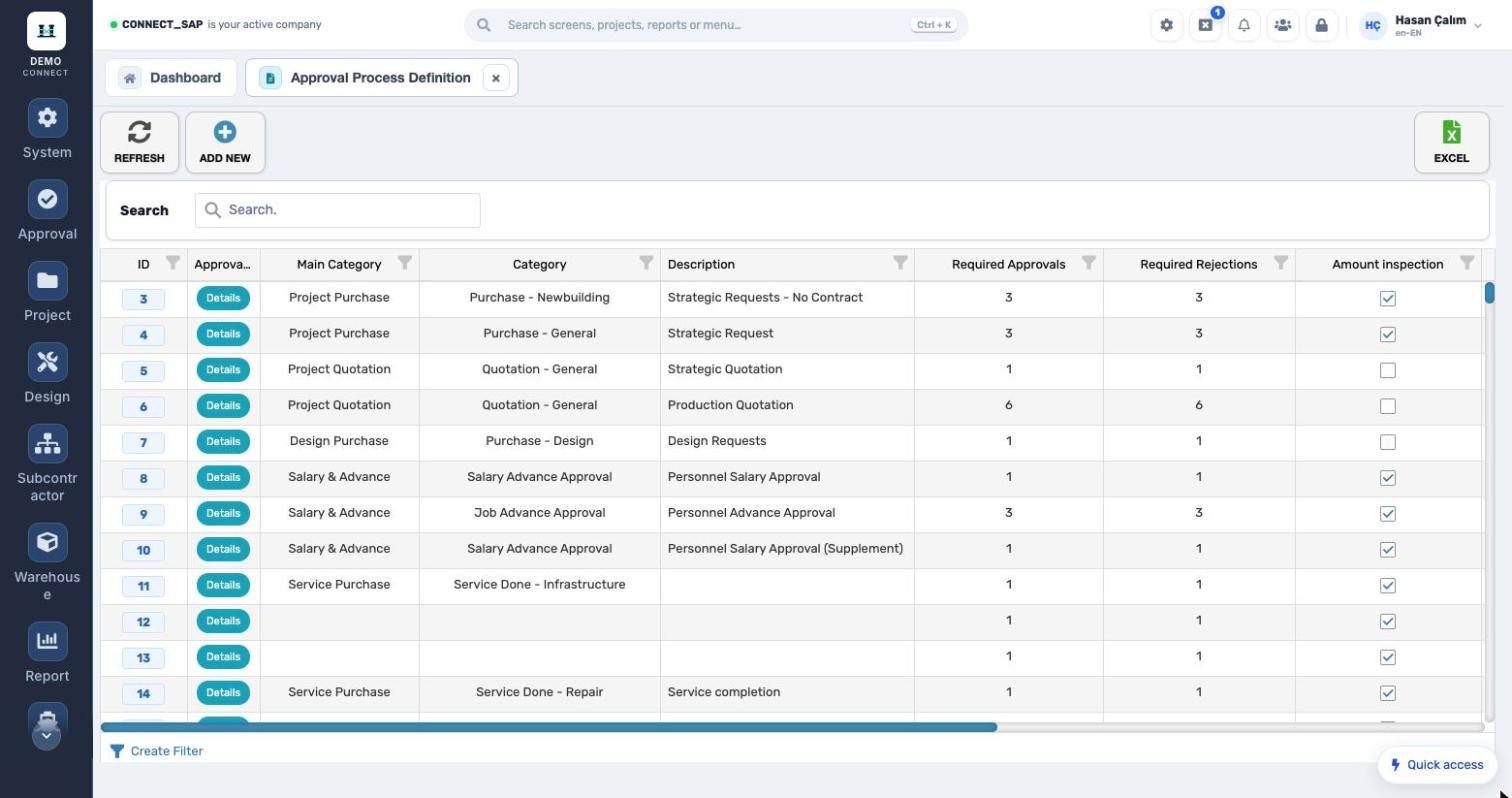
Three problems Approval Workflows solves
How does it work?
- 1A request is raisedMaterial, quotation, service purchase, design material, expense or advance.
- 2A rule matchesThe right workflow is selected by category, amount, location and region.
- 3Sequential approvalApprovers get an email; director approval and dual-approval rules apply.
- 4OutcomeApprove, reject or forward; the request continues in its own process and the history is kept.
Every category, its own rules.
Project material purchase, quotation, design material purchase, salary and advance, service purchase… Each workflow sets required approvals and rejections, amount control and sequential approval.
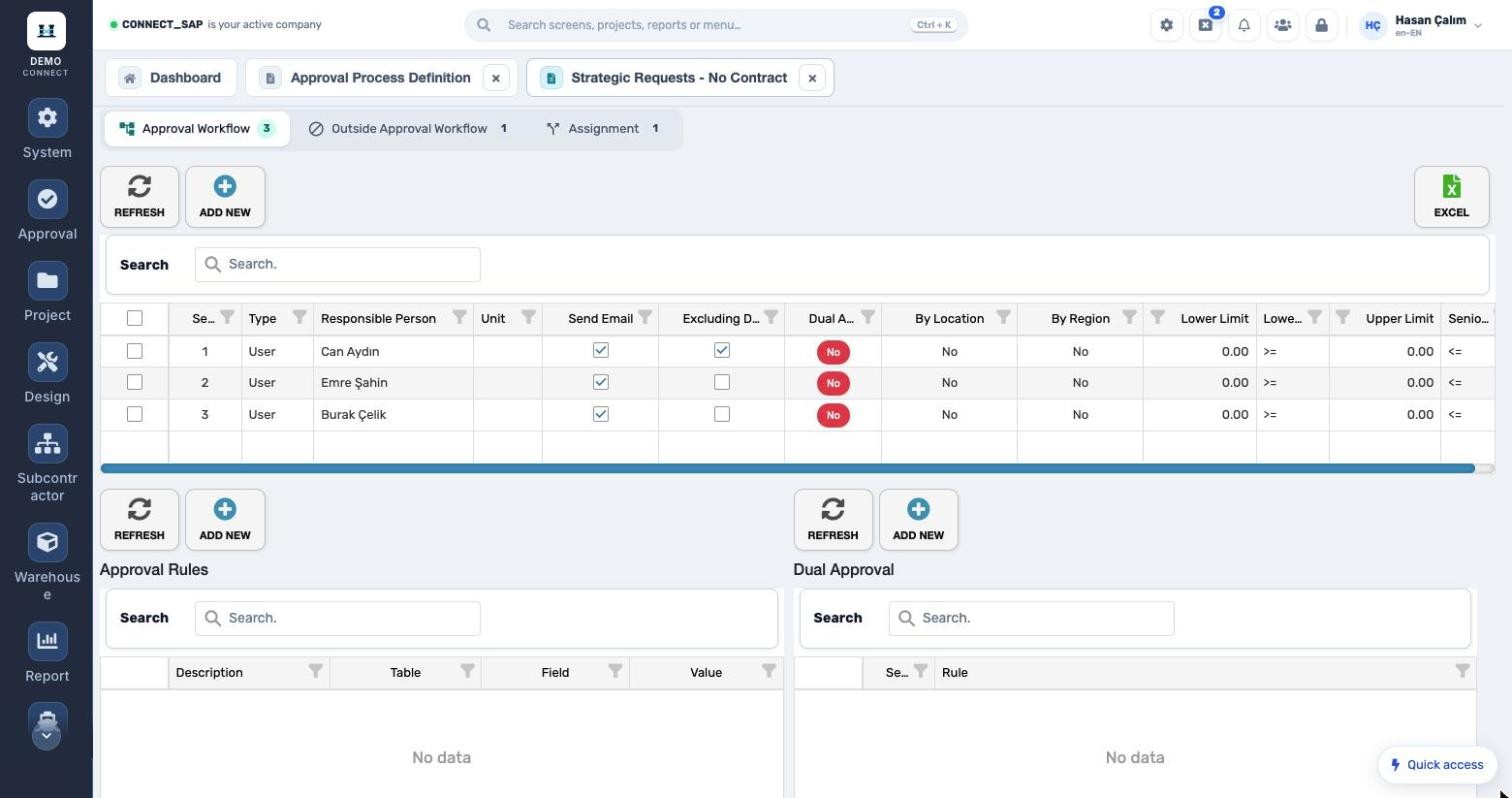
Sequence, limits, location, dual approval.
Each step defines the approver (user or unit), email notification, director approval, dual approval, routing by location and region, and lower/upper amount limits. Out-of-approval rules and forwarding are in separate tabs.
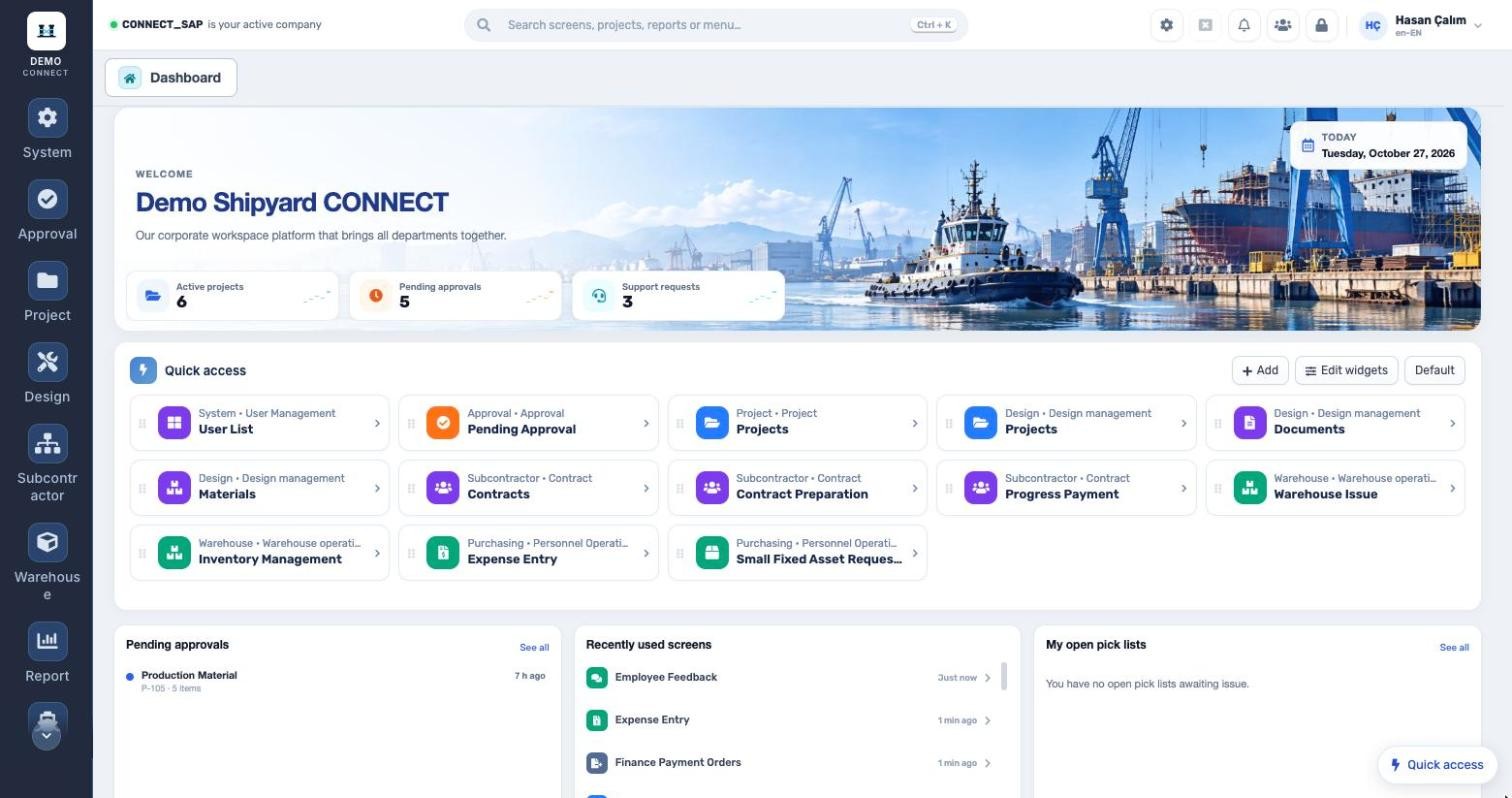
The approver’s desk is the dashboard.
Users see their pending approvals at sign-in; on the approval screen, purchase and stock requests are listed in tabs with stock balance and last purchase price. Approval history is kept separately.
What’s in the menu?
Screens, definitions and reports in the Approval Workflows module. Each user sees only the screens they are authorized for.