
Project Management
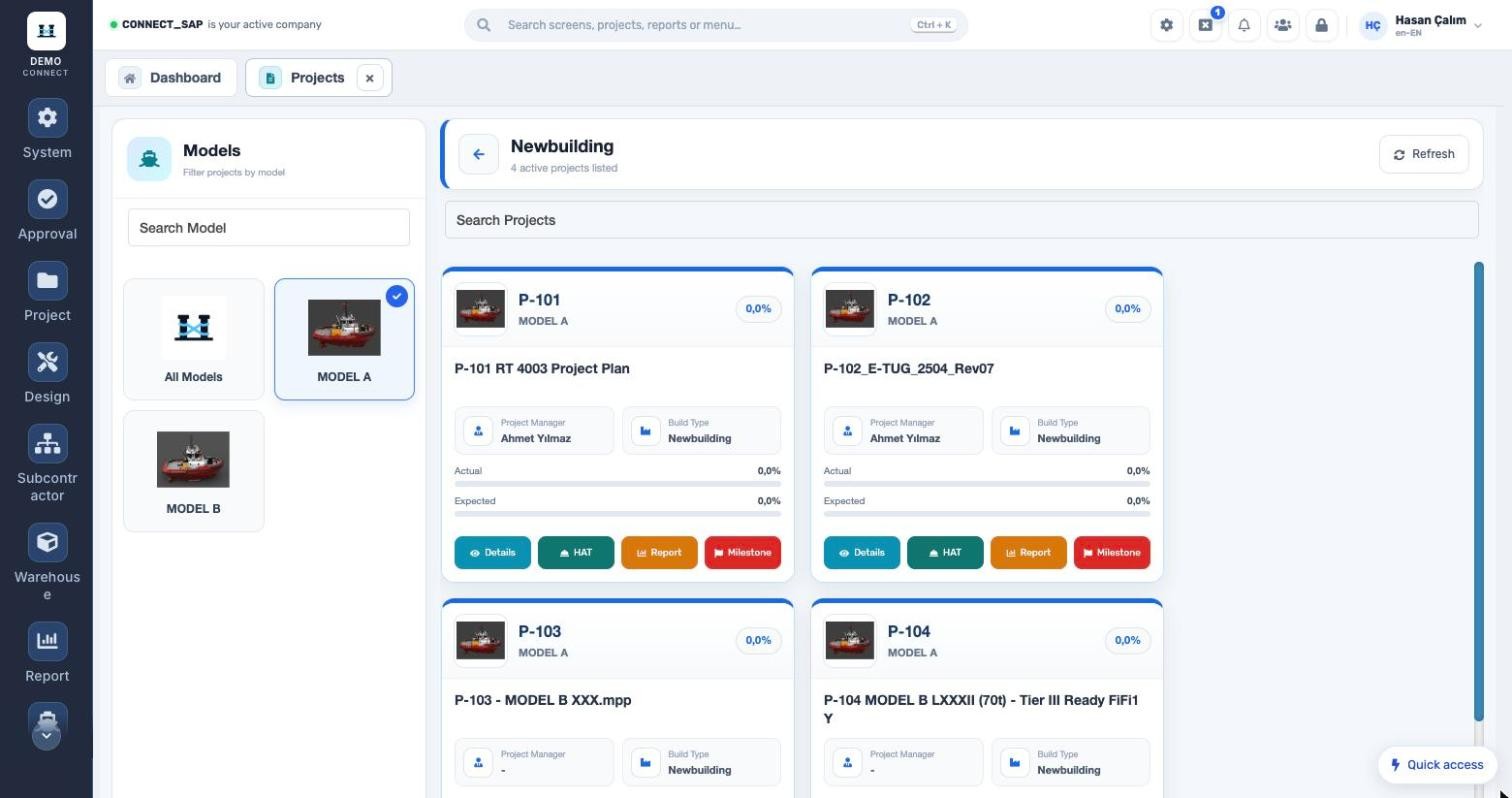
Plan newbuilding and repair projects in one place, from vessel model down to activity, and see site progress against the plan every day.
Three classic problems of shipyard project tracking
How does it work?
- 1Create the project cardVessel model, build type, location, project manager and owners, tax group; equipment such as main engine, propeller and generator.
- 2Import the planThe MS Project plan is imported; activity codes, baselines, dates and planned hours are created and mapped to work types.
- 3Record site progressActual start/finish, percentages and hours are entered per activity; design, warehouse and subcontractor records link to the same activity.
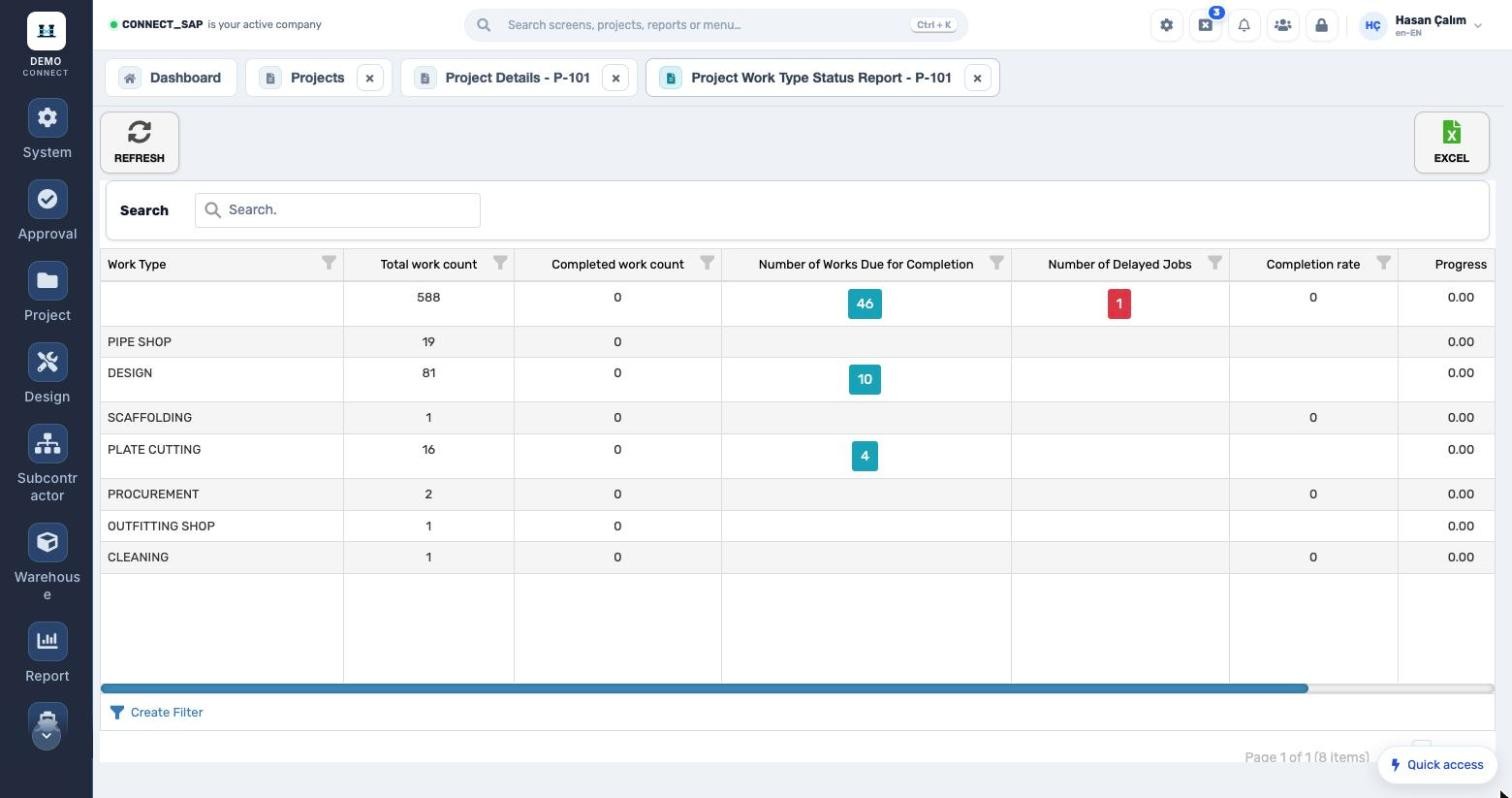
- 4Management monitorsS-Curve, milestone schedule, work type status and main construction plan; delays are notified automatically through email rules.
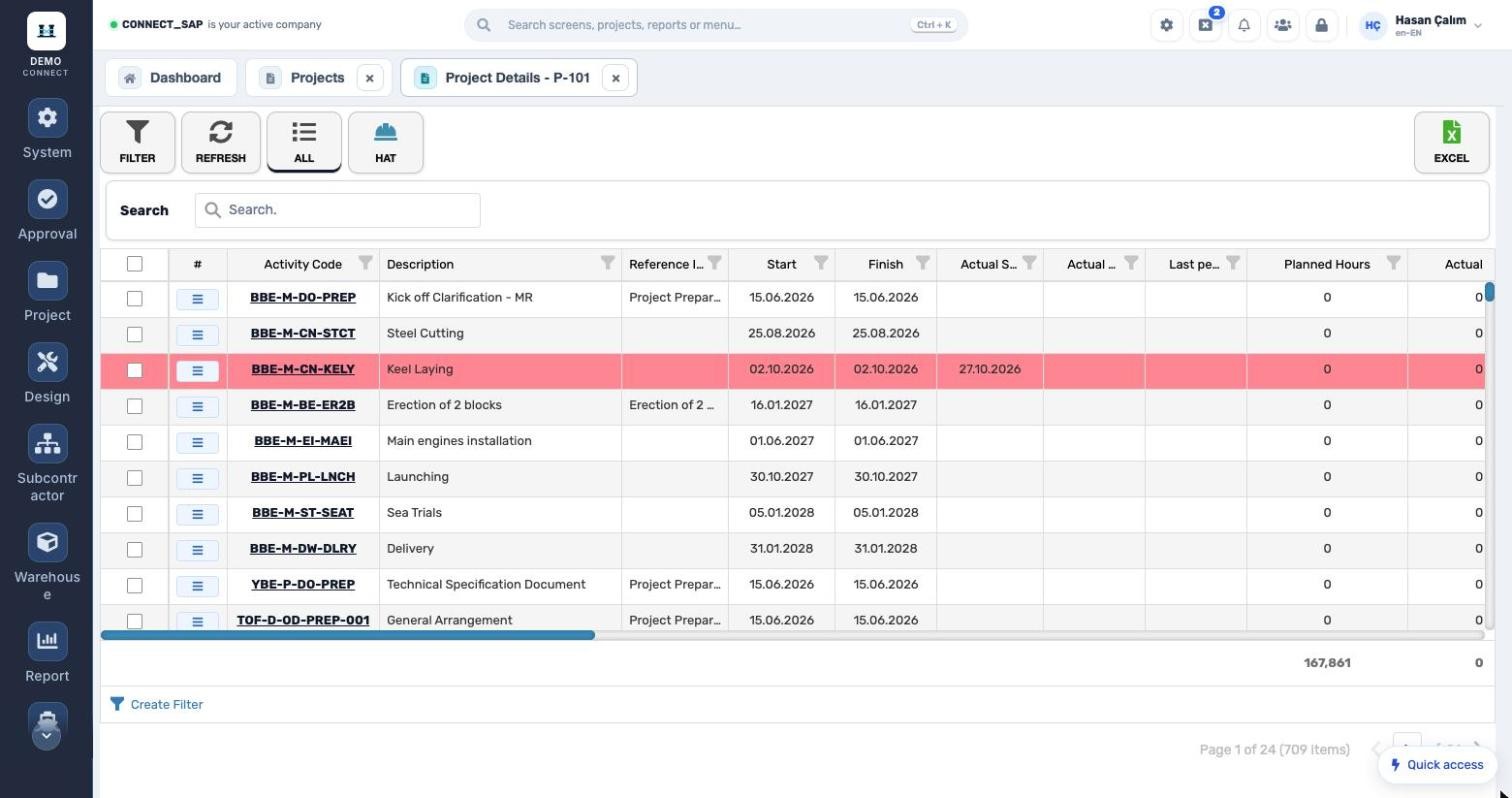
Hundreds of activities, one list, against the plan.
Each activity’s code, description, baseline, planned and actual dates, latest percentage, planned and actual hours are visible. Column filters, saved filters and Excel export are standard on every list.
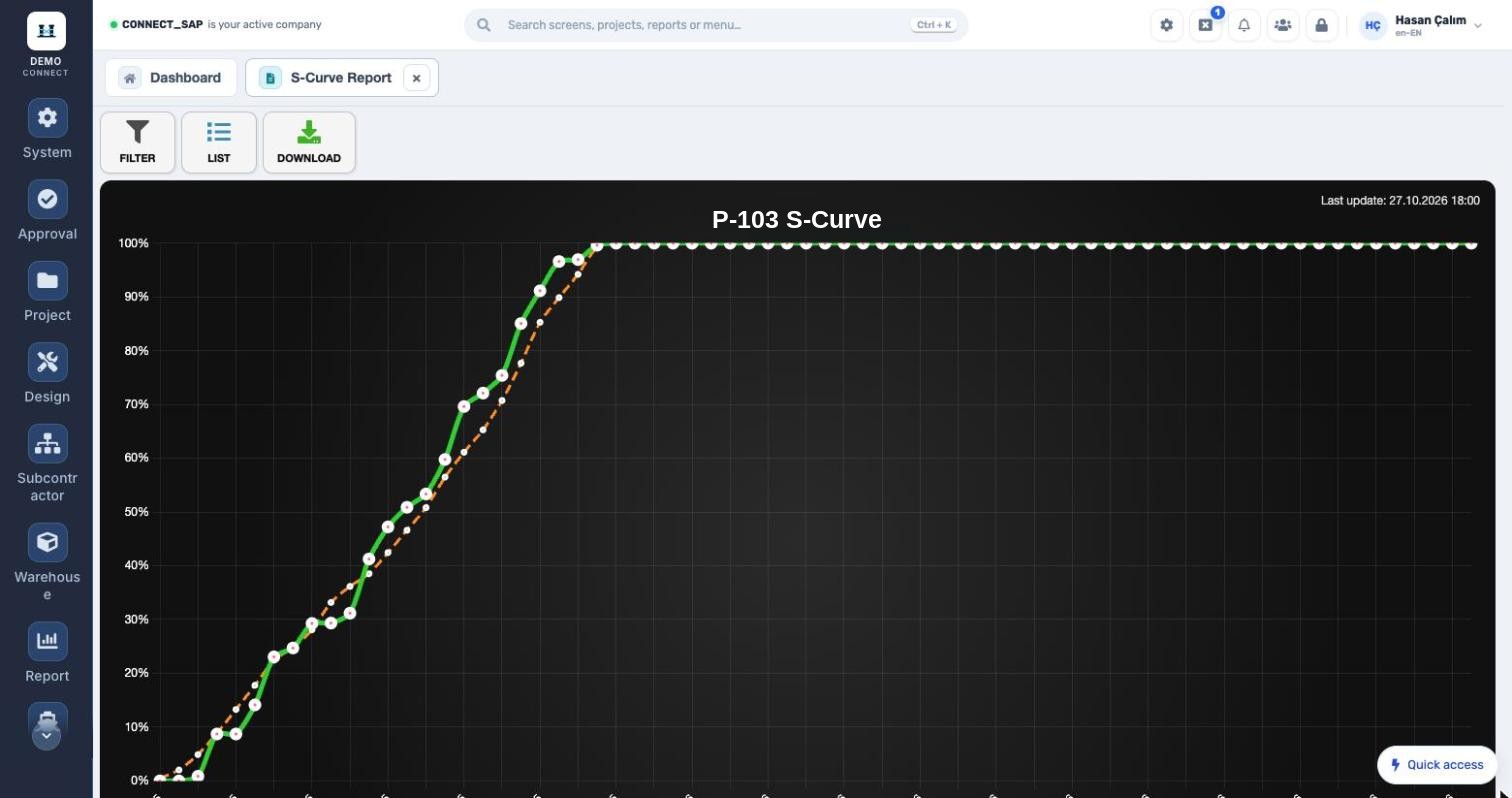
Deviation, visible without interpretation.
Planned and actual cumulative progress on one chart. Run it by percentage or hours, for one or several projects; download the chart and add it to management reports.
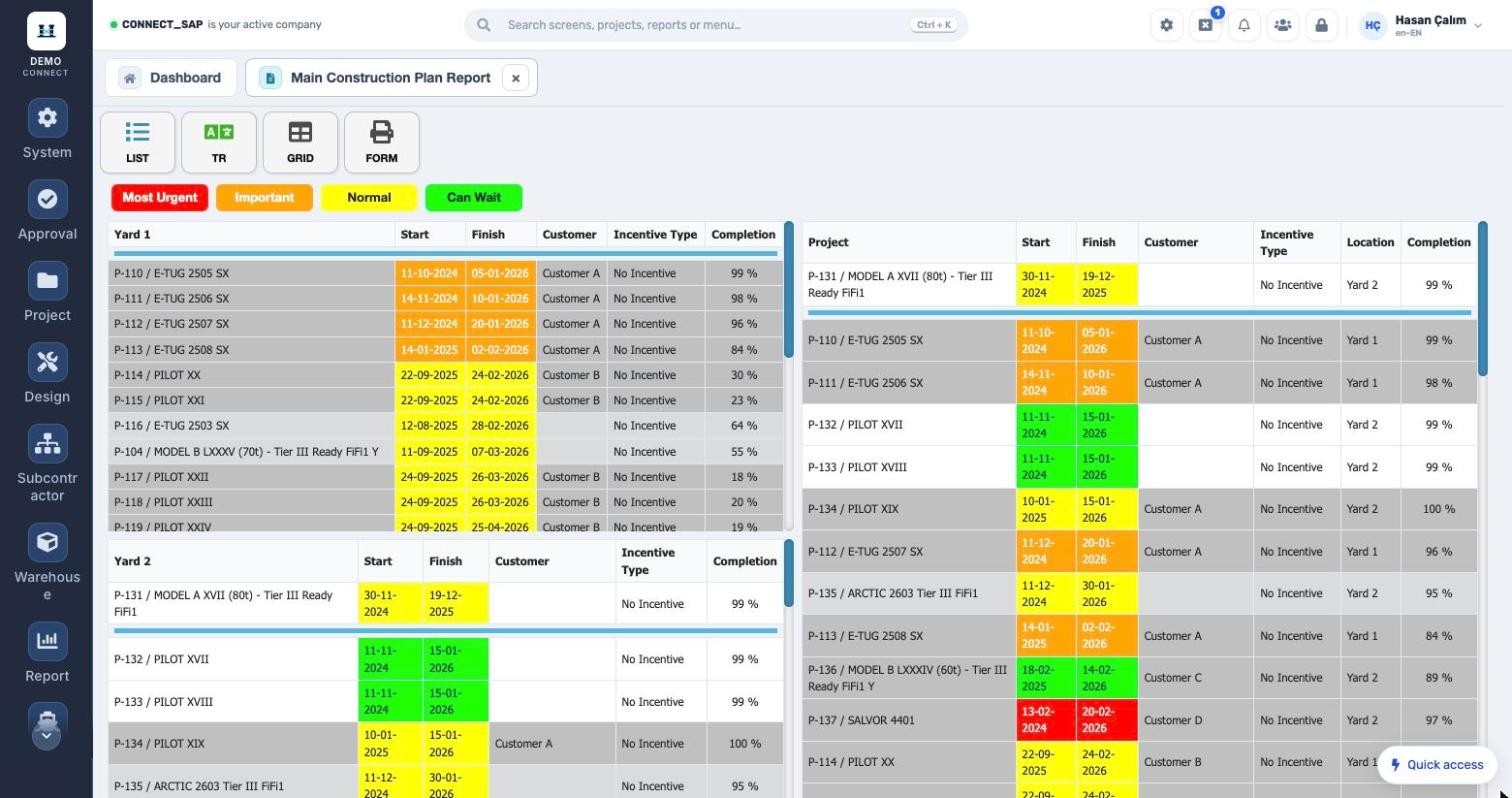
The whole shipyard, on one screen.
Projects are grouped by location; start and finish dates are colour-coded as most urgent, important, normal or can wait. Customer, incentive type and completion rate side by side; print as form or grid.
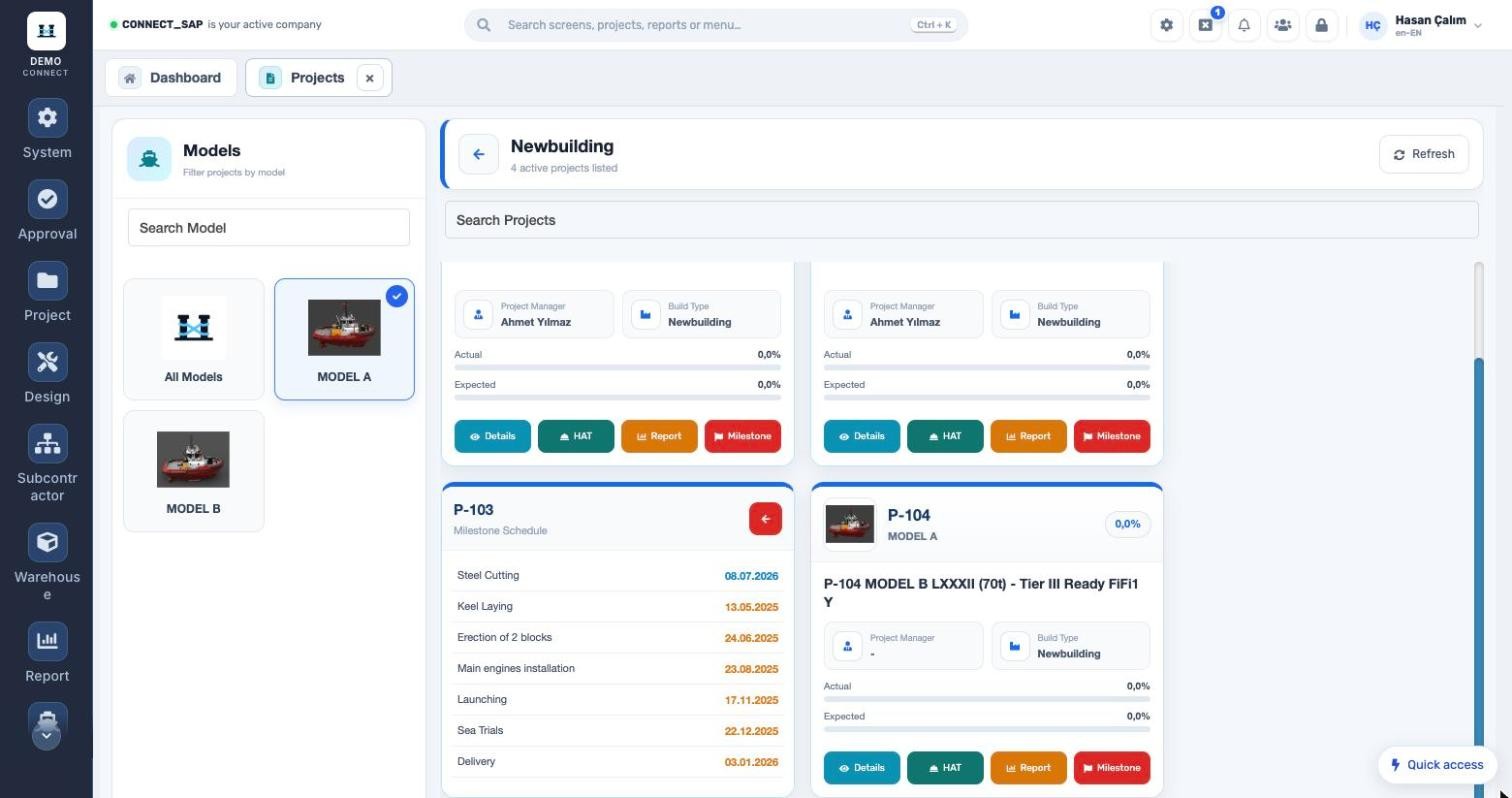
The ship owner follows their project in CONNECT.
Your ship-owner customer signs in with their own user. Thanks to project authorization groups they only see their own project, and open progress, milestones and the reports shared with them whenever they like.
- Actual vs. expected progress, S-Curve
- Milestone schedule from steel cutting to delivery
- Owner documents and after-sales progress report
- Authorized reports, with Excel and PDF output
Set up in your shipyard’s language.
Activity structure, work types, locations and vessel equipment run on your own definitions. With project authorization groups every user, including ship-owner users, sees only their own projects.