
MODULE 08
Reports
Ready-made reports plus a report engine your team uses to design and share its own reports, without waiting for developers.
30+ready-made reportsGrid · Pivotno-code report designExcel · PDFoutput on every report
Three problems Reports solves
How does it work?
- 1DefineA new report under a report unit, with title and data source.
- 2Choose the typeGrid, pivot or both; link a chart report.
- 3ShareThe report opens to the right users through its permission code.
- 4RunUsers run it from My Reports with a date parameter and export to Excel / PDF.
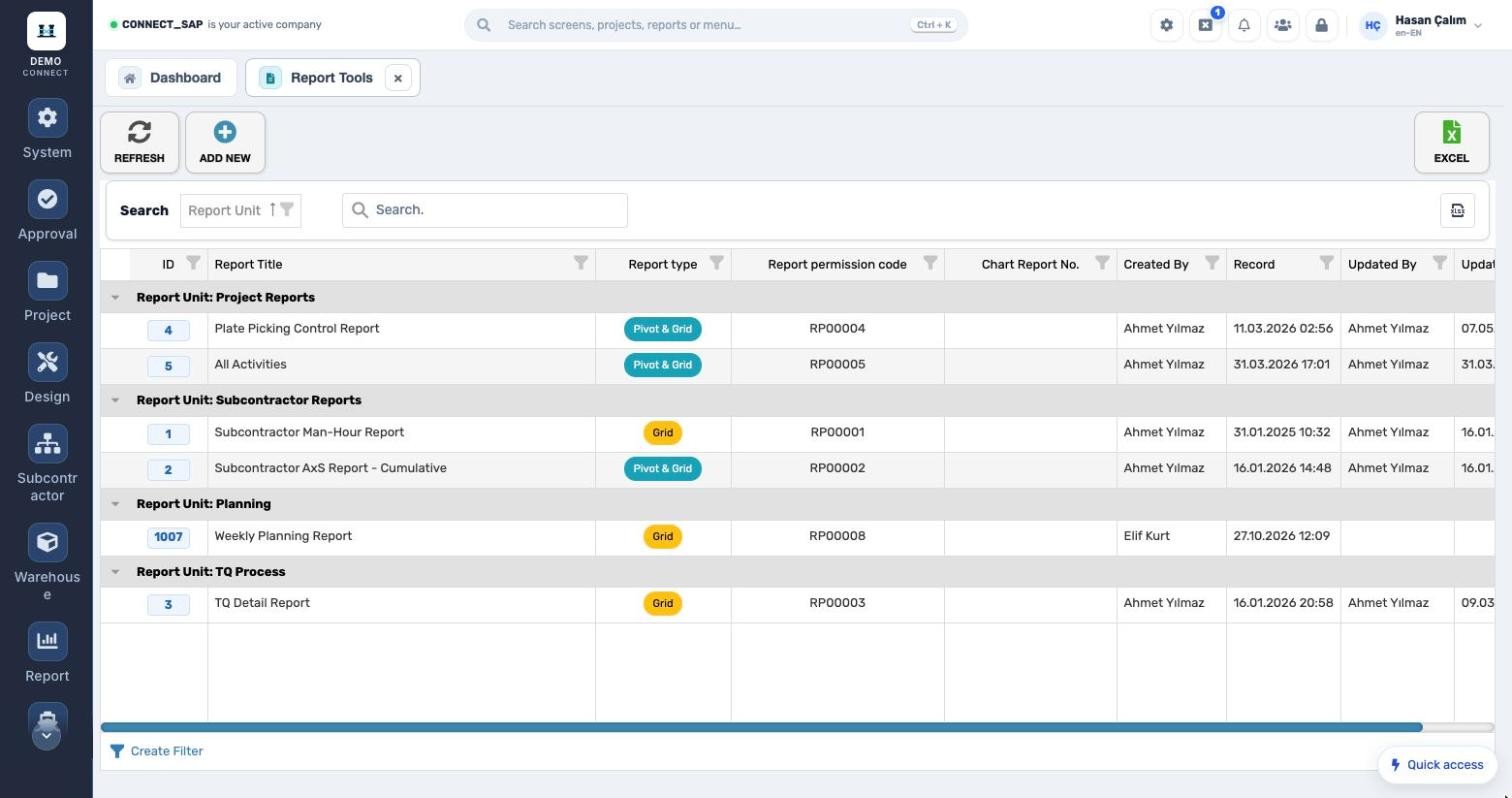
REPORT TOOLS
No-code report design.
Report definitions under report units; report type, permission code, chart report no., created and updated by. On My Reports, users only see the reports they are authorized for.
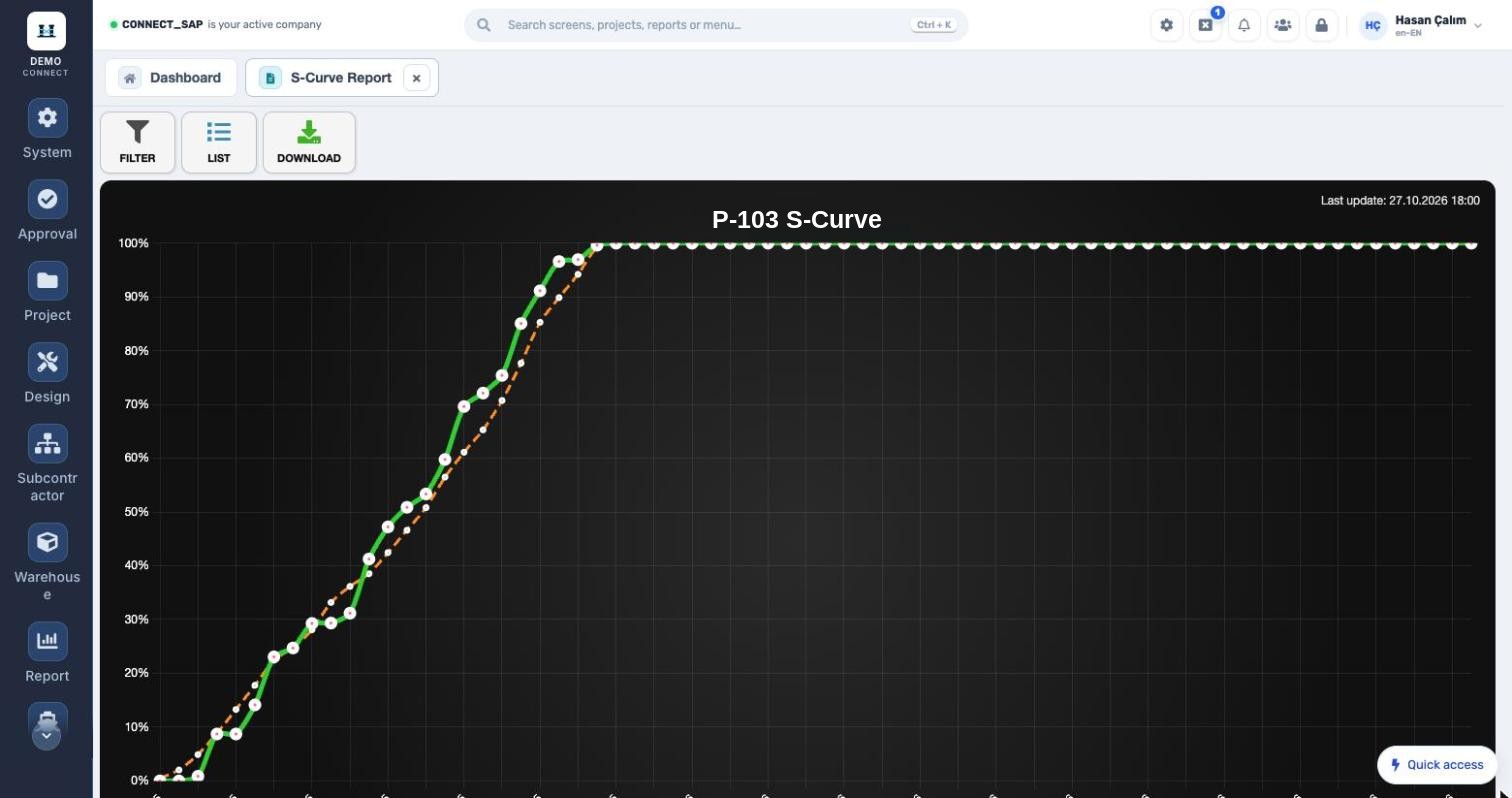
S-CURVE
Planned versus actual.
Cumulative progress by percentage or hours, for one or several projects; the chart can be downloaded.
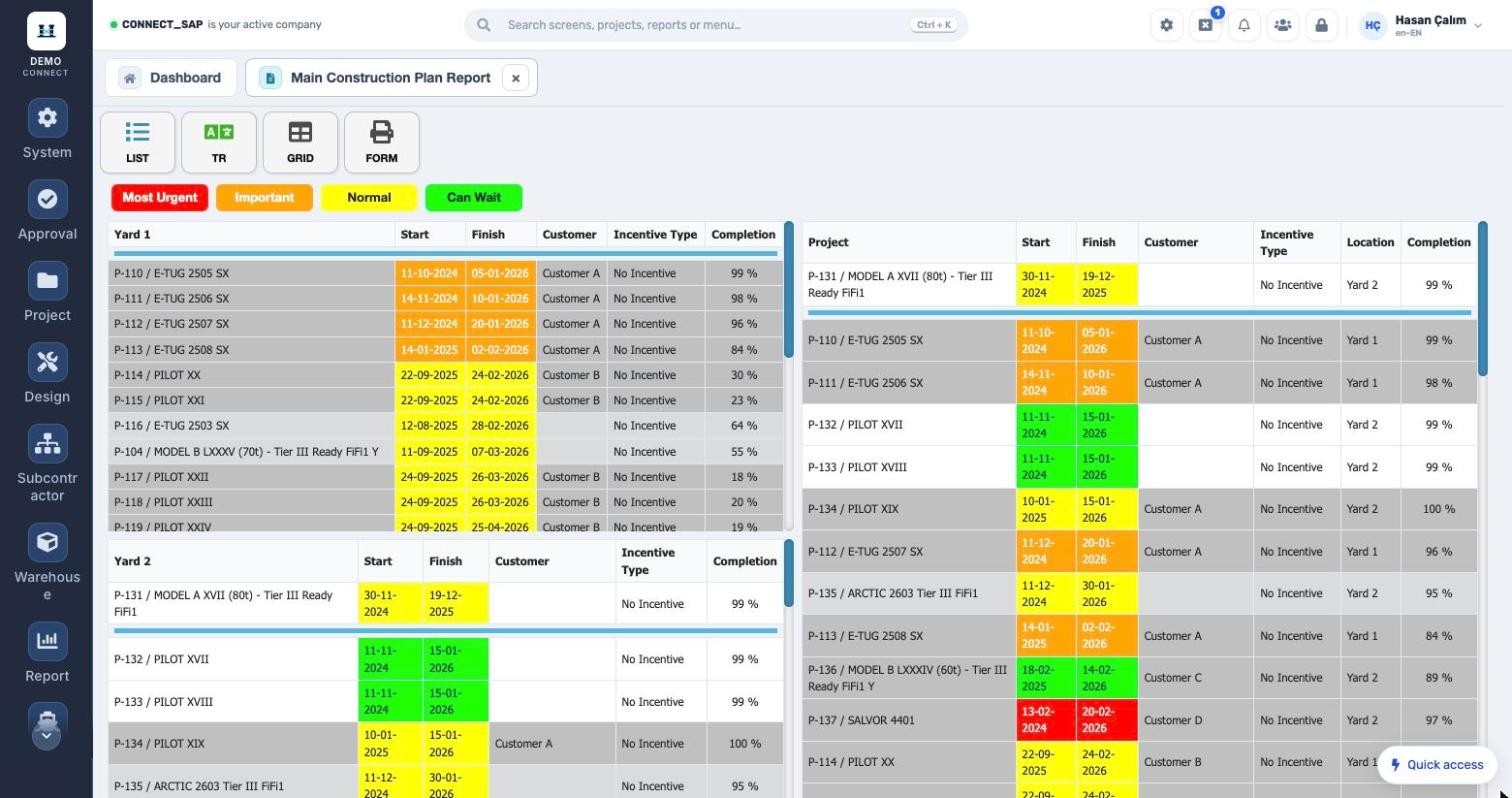
MAIN CONSTRUCTION PLAN
The whole shipyard in one report.
Projects by location, urgency colours, customer, incentive type and completion rate; print as form or grid.
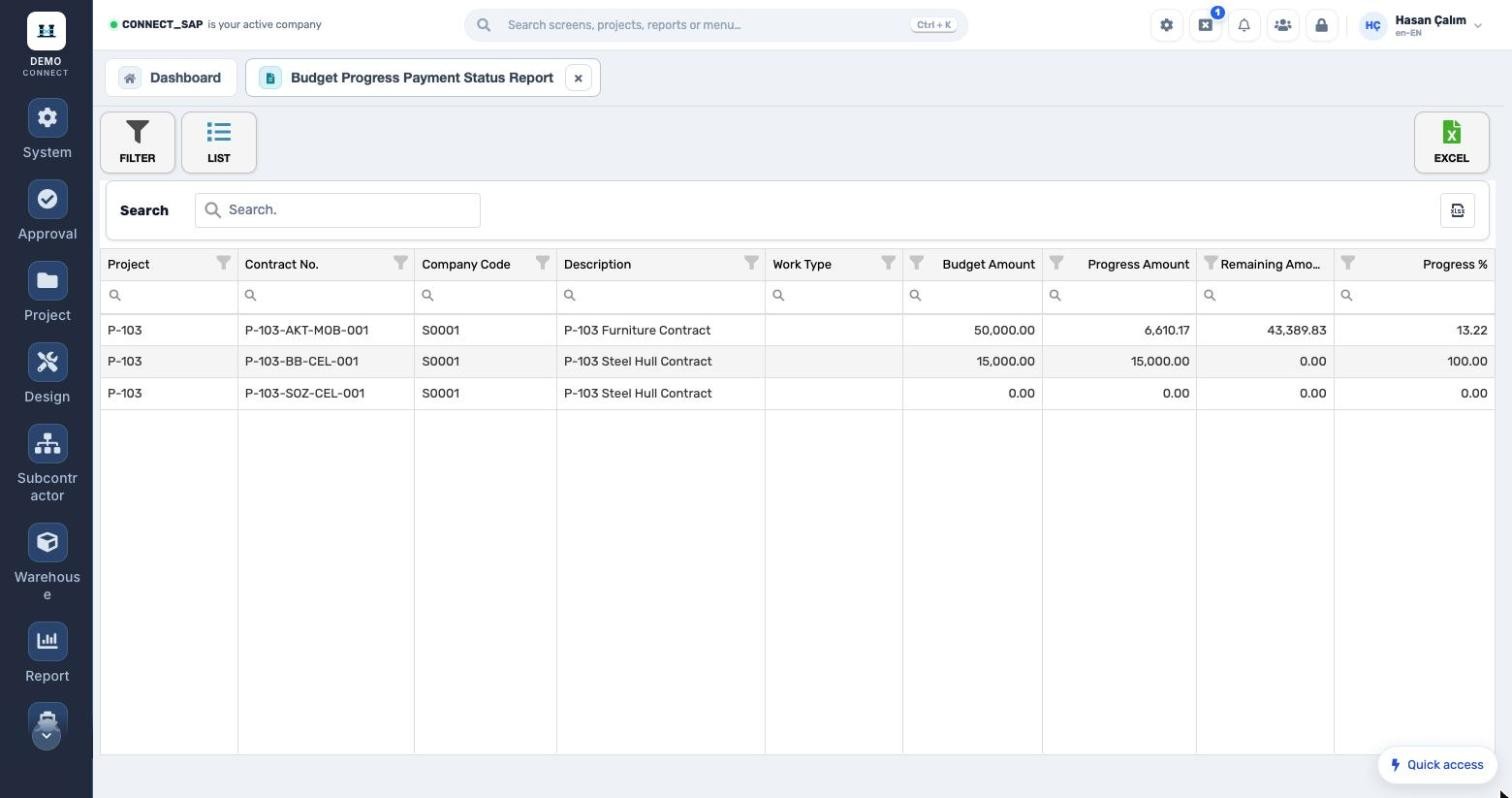
BUDGET VS. PAYMENT
From the subcontractor reports.
Budget, paid amount, remaining amount and percentage per contract.
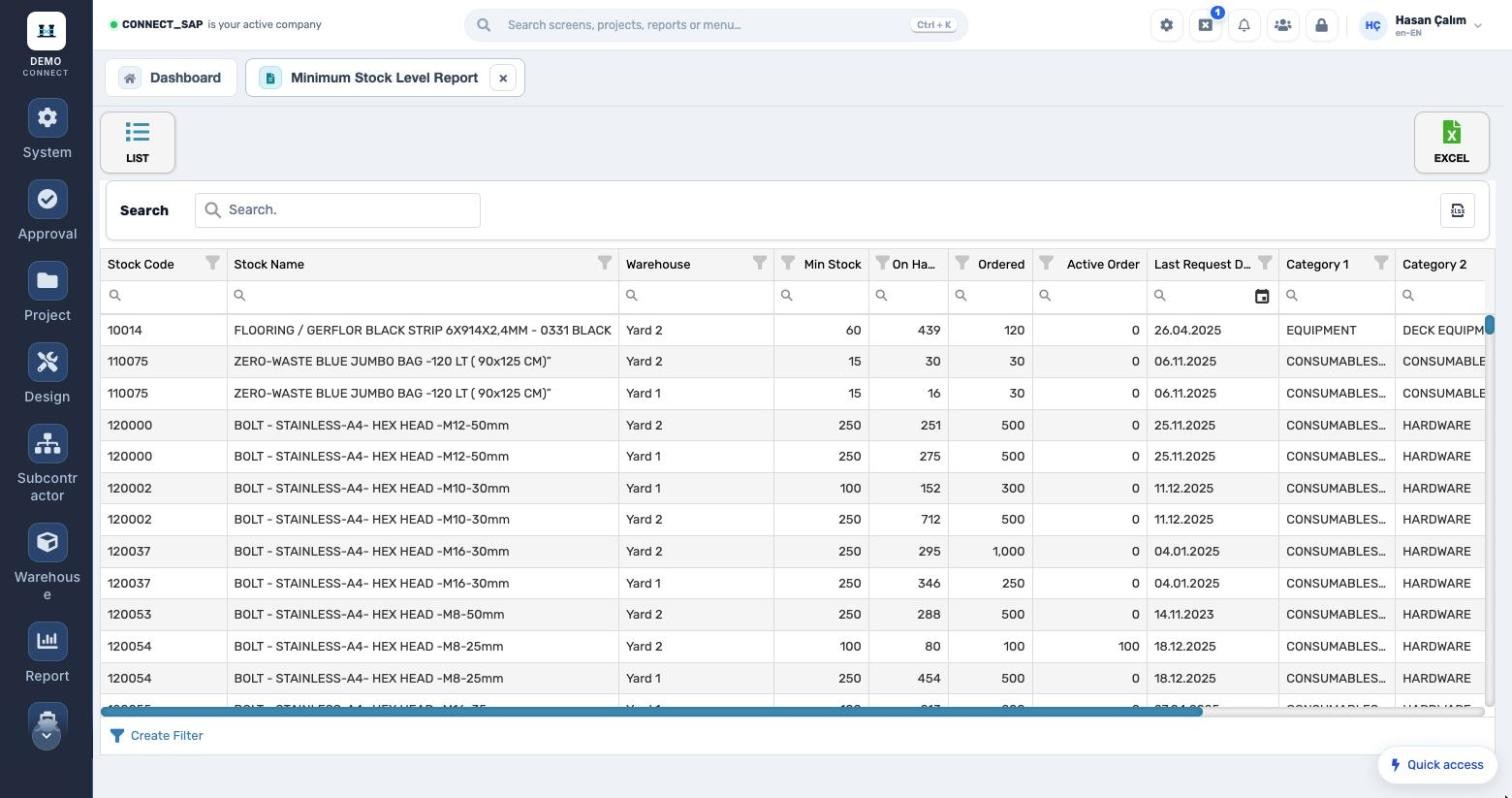
MINIMUM STOCK LEVEL
From the stock reports.
Min. stock, on hand, ordered and last request date per warehouse.
Reports open to the ship ownerCustomer (ship-owner) users run the reports shared with them via permission code for their own projects, and export to Excel or PDF.
Resource planning formulaRequired headcount = (forecast MH − actual MH) / remaining working days / 7.5. Calculated per work type for ongoing projects.
MODULE SCOPE
What’s in the menu?
Screens, definitions and reports in the Reports module. Each user sees only the screens they are authorized for.
Project reports
Project closeWarehouse withdrawalsMain construction planS-CurveGUG distributionGUG budgetProject owner listProject request and orderMH by locationActivity logMPP milestone comparisonWork type planned MH ratioWork type headcount needMonthly location MHProject manager distributionActivity percent entry
Subcontractor reports
Man-hoursContract statusEmployeeActivity man-hoursContract revisionBudget vs. payment status
Stock and general
StockConsumptionStock cost and movementWarehouse receipts by categoryMinimum levelPurchase order detailQuotation package logFleet reportRequest–invoice tracking
See the Reports module with your own data.
Request a demo
© 2026 SENTIA BİLİŞİM SAN. VE TİC. LTD. ŞTİ. · We listen · The right solution