MODULE 07

Personnel Operations

From expenses to advances, overtime to employee suggestions, personnel processes run on the same approval and finance backbone, without paper forms or email traffic.
PDKSovertime vs. time & attendanceTQTurquality scope flagFinancereview and payment orders
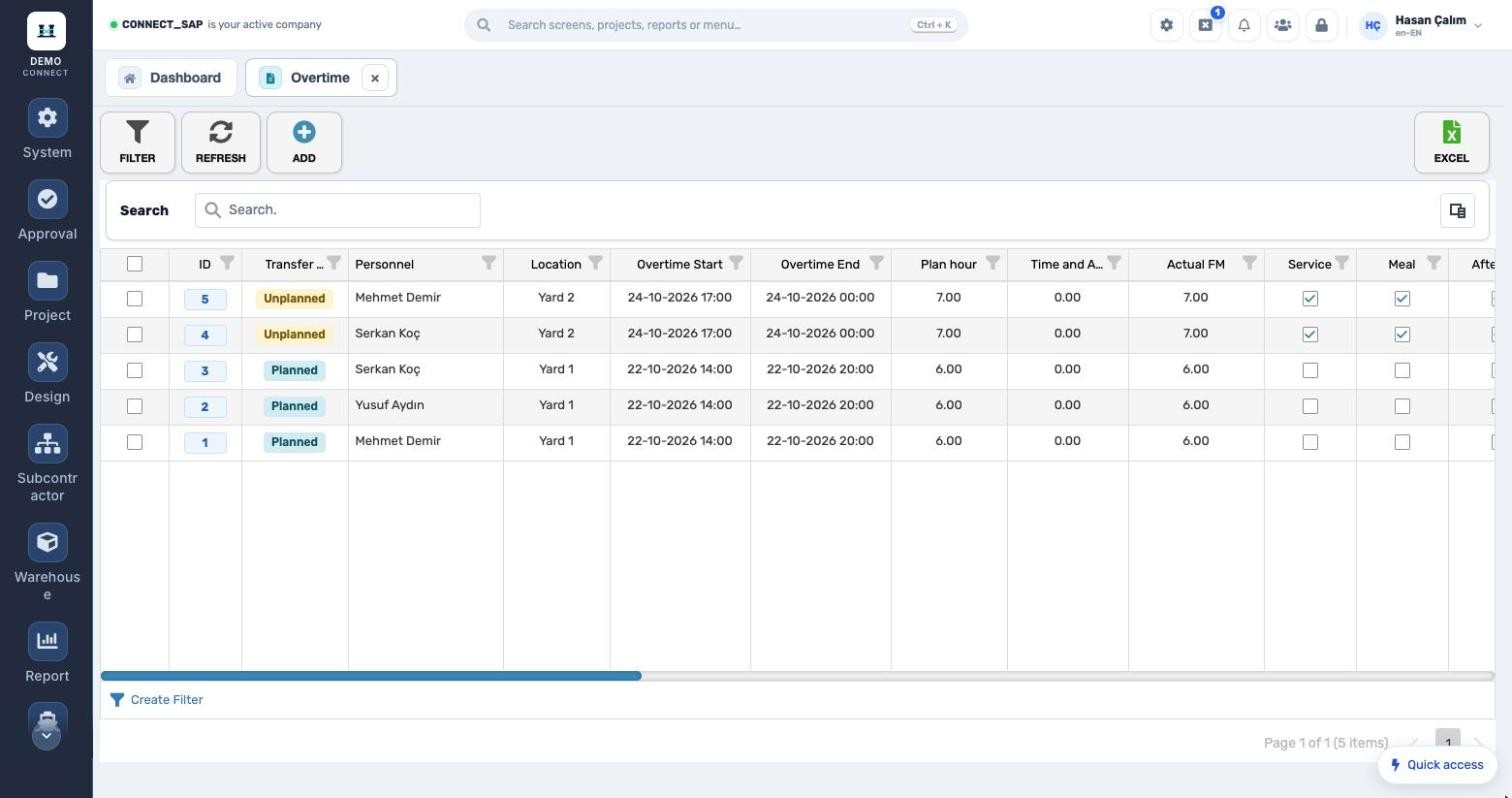
Personnel overtime screen

Three problems Personnel Operations solves

PROBLEMExpense receipts circulate on paper and VAT is split again in accounting.
CONNECTReceipt items are entered by VAT rate on the expense form, submitted for approval and reviewed by finance.
PROBLEMOvertime relies on self-reporting; shuttles and meals are organised separately.
CONNECTPlanned overtime is compared with attendance in/out; shuttle and meal requests sit on the same record.
PROBLEMAdvances and their settlement can’t be tracked.
CONNECTAdvance requests lock once they enter finance review; payment orders show the advance balance.

How does it work?

  1. 1RequestThe employee enters an expense, advance or overtime request.
  2. 2Manager approvalThe request goes through its approval workflow; approvers are visible on the record.
  3. 3Finance reviewFinance reviews expenses and advances; the record is closed for editing.
  4. 4PaymentA payment order is created, marked as paid and printed.
OVERTIME

Plan, attendance and actual.

Planned or unplanned overtime; location, start/finish, planned hours, attendance overtime and actual hours. Shuttle, meal, after-sales and docking flags; project, approvers and approval status.
Plan, attendance and actual.
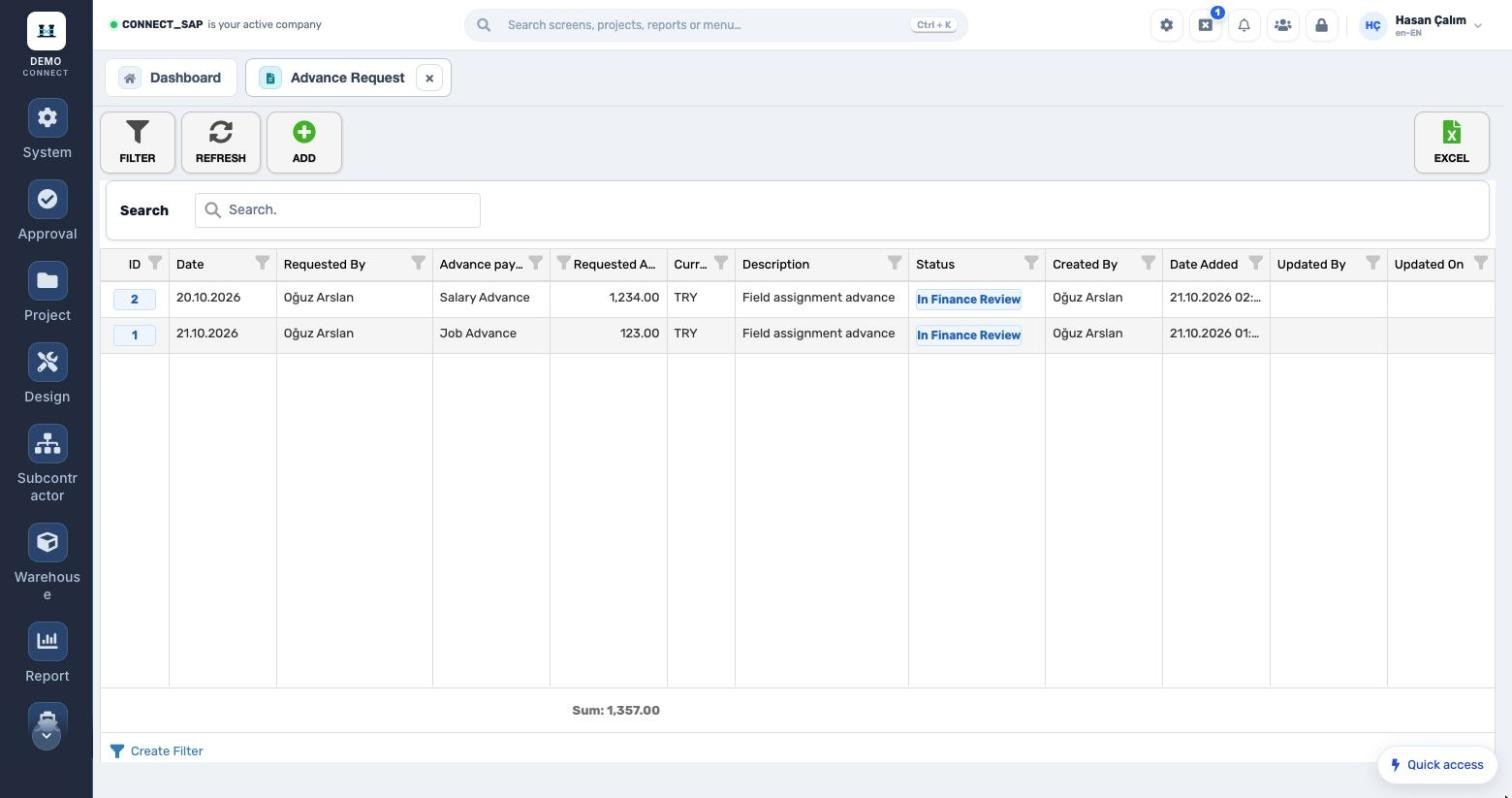
Job advance, salary advance.
ADVANCE REQUESTS

Job advance, salary advance.

Requested with amount, currency and description; once in the finance process the record can’t be edited, and the status column shows the stage.

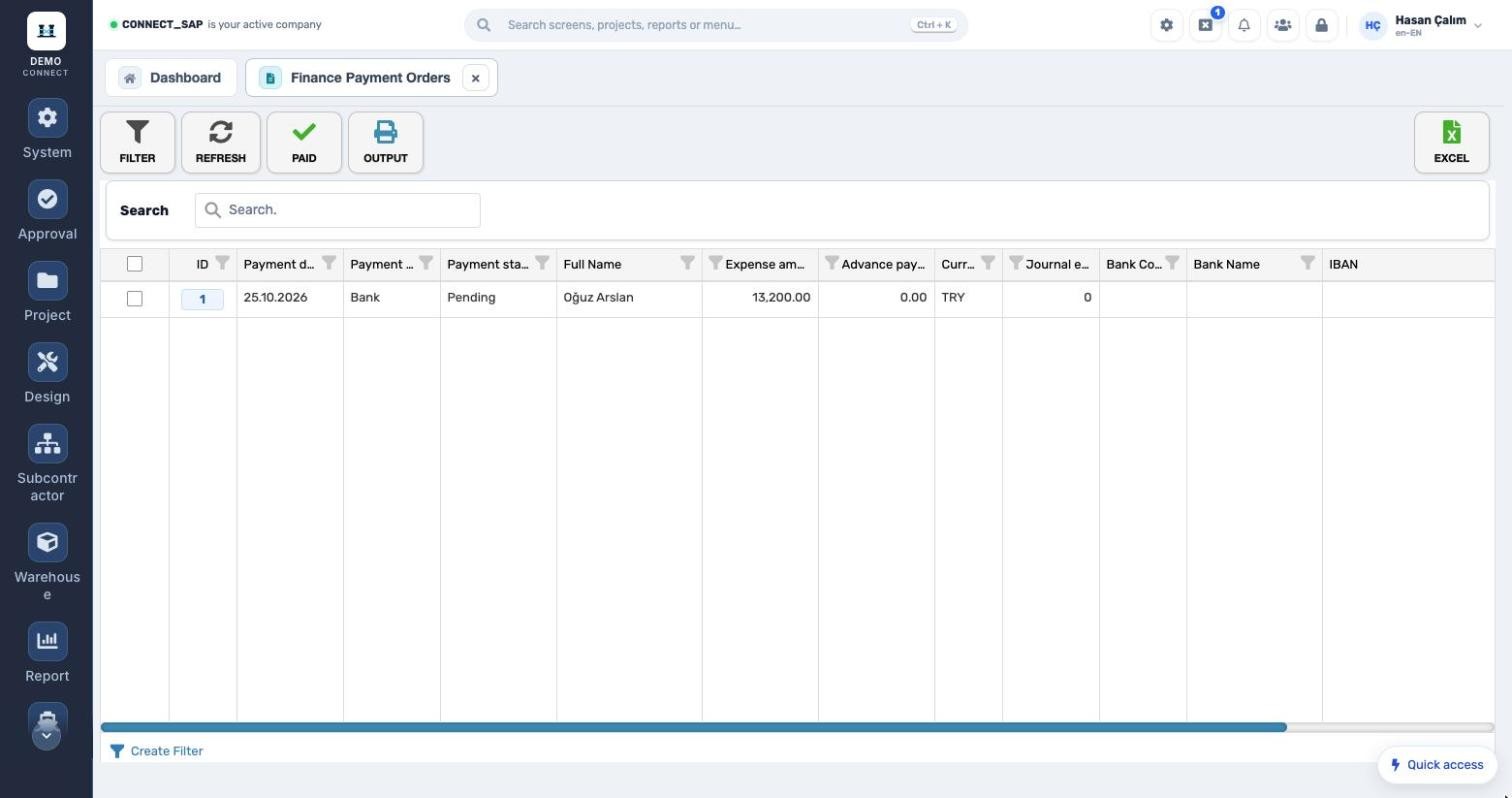
FINANCE PAYMENT ORDERS

From approval to payment.

Payment date, unit, status, expense amount, advance balance, journal no. and bank details. Paid items are marked and printed.
From approval to payment.
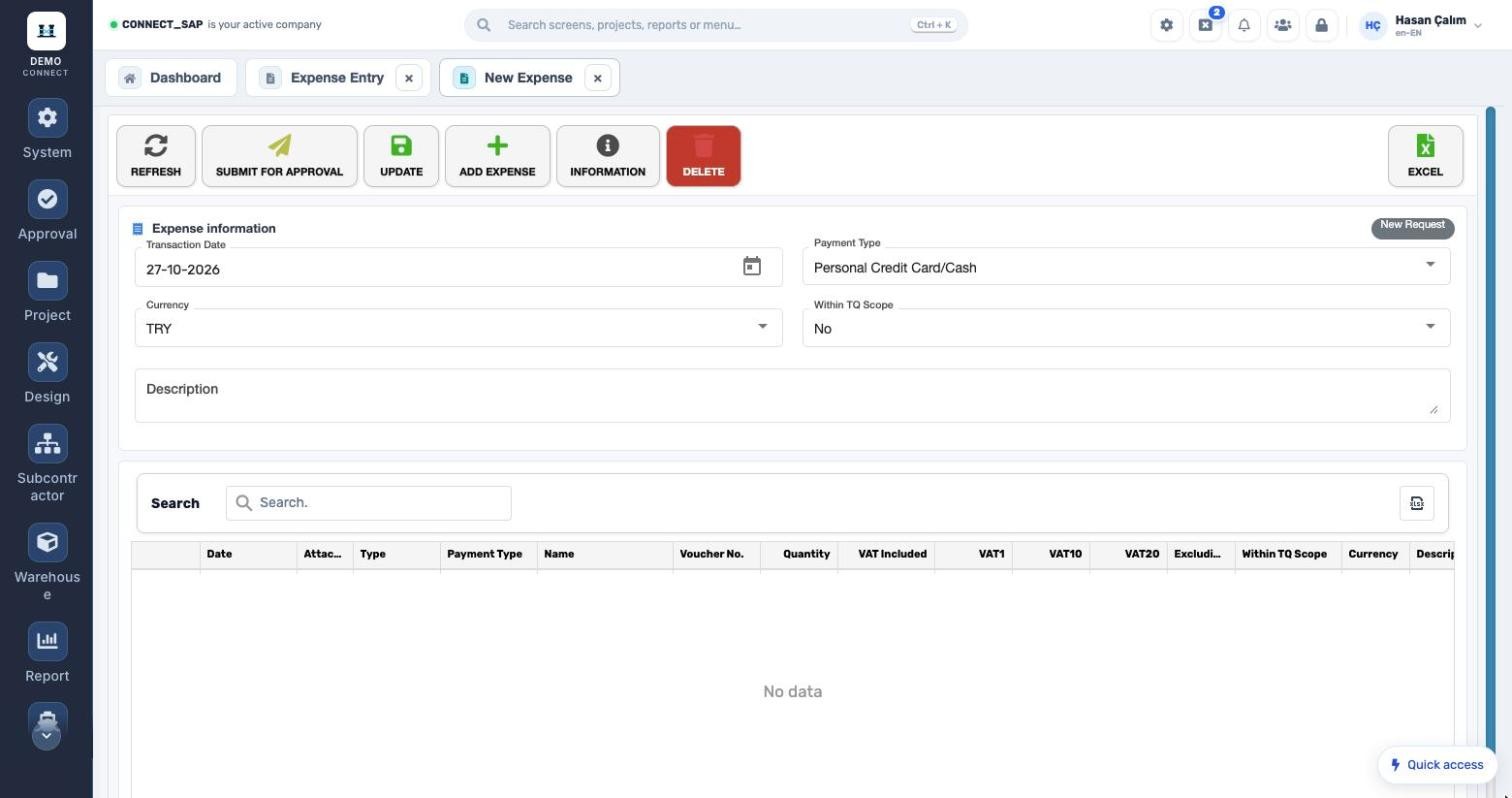
EXPENSE ENTRY Receipt-based expenses. Transaction date, payment type, currency, TQ scope; items at 1%, 10%, 20% VAT and VAT-exempt. Receipt-based expenses.
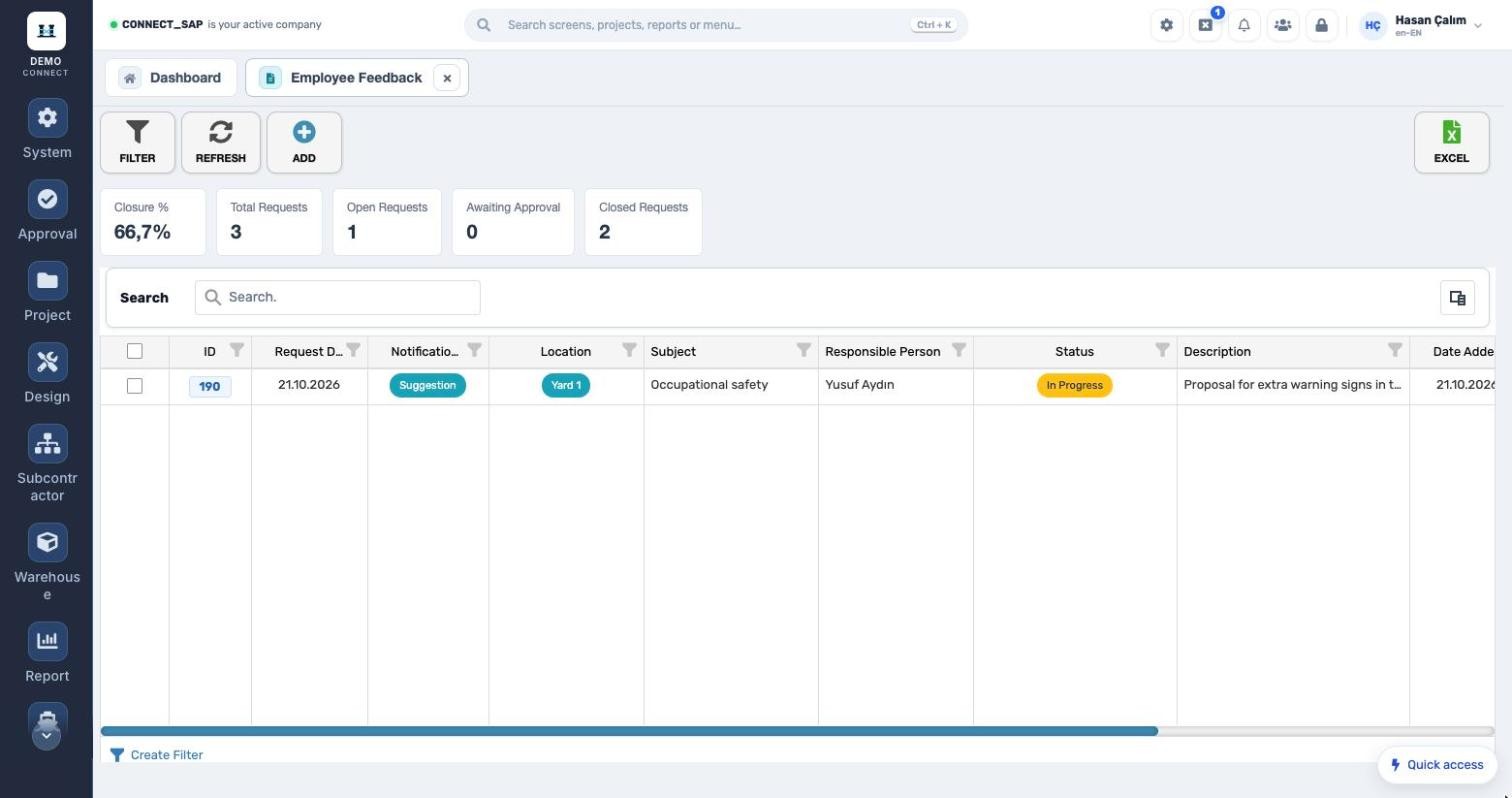
EMPLOYEE FEEDBACK From suggestion to closure. Suggestions and reports with location and subject; an owner is assigned and the closure rate is tracked. From suggestion to closure.
MODULE SCOPE

What’s in the menu?

Screens, definitions and reports in the Personnel Operations module. Each user sees only the screens they are authorized for.

Personnel operations
Expense entryExpense entry controlExpense manager listAdvance request and controlFinance expense controlFinance payment ordersSmall fixed asset requestsMy fixed assets
Overtime and employees
Personnel overtimeOT meal and shuttle reportOT distribution reportEmployee feedbackEmployee location definitionEmployee subject definition
See the Personnel Operations module with your own data. Request a demo
© 2026 SENTIA BİLİŞİM SAN. VE TİC. LTD. ŞTİ. · We listen · The right solution