
MODULE 05
Change Management
Every project-specific change, with its record, owner, verification and cost impact. Non-conformance, extra work and calibration sit under the same continuous-improvement roof.
4processes: change, non-conformance, extra work, calibrationFullhistory and assignment logWork orderand subcontractor deduction in one click
Three problems Change Management solves
How does it work?
- 1Open the requestSelect project, work type, location, group and category; set a finish date.
- 2Forward itFirst to the project manager, then to the owner; the project locks after the first forwarding.
- 3VerifyThe owner responds; verification and response status are updated and delay reasons recorded.
- 4CloseCreate a work order and deduction if needed; track closure on the summary board.
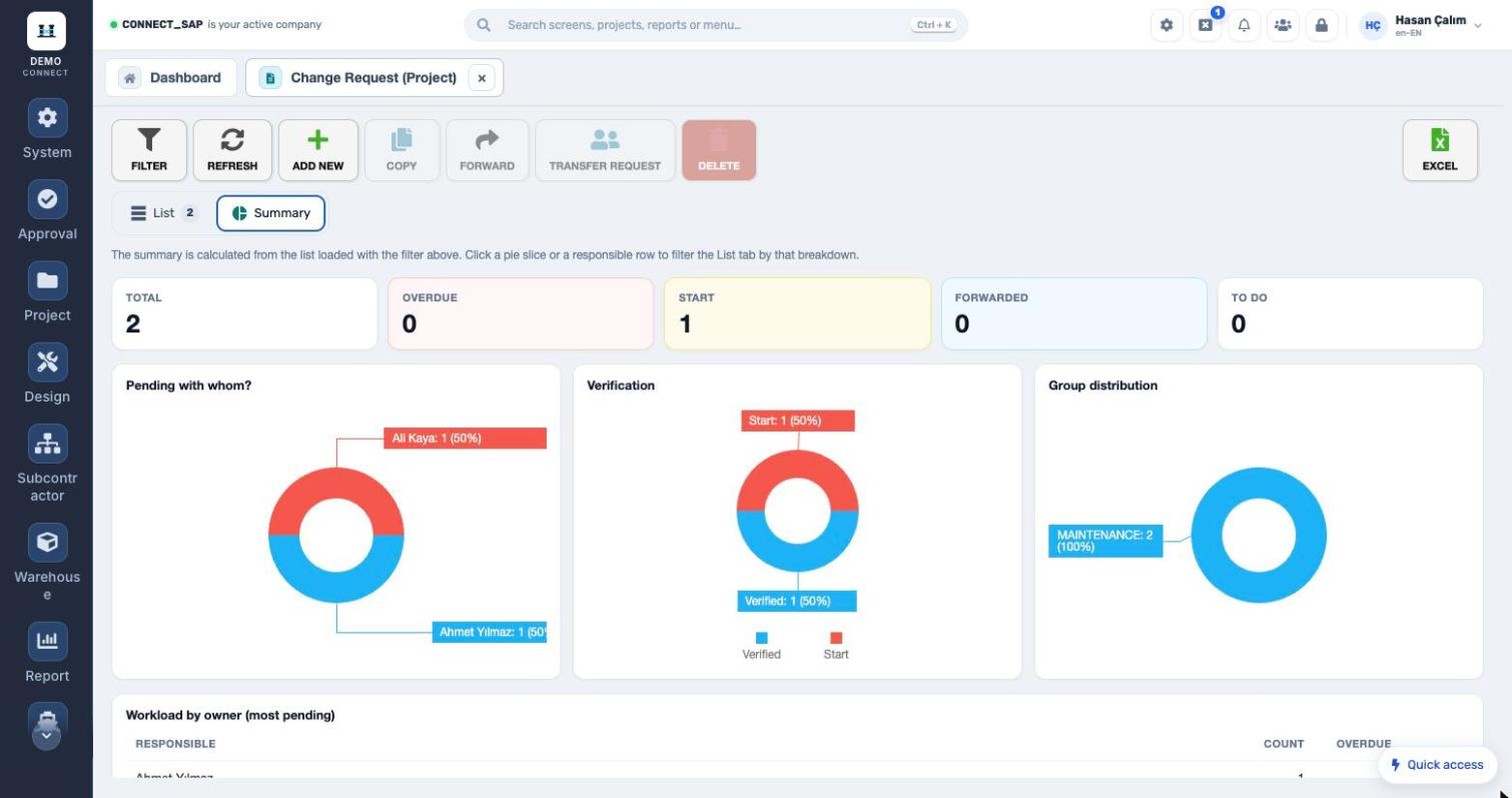
SUMMARY BOARD
Pending with whom, and what is overdue?
Total, overdue, start, forwarded and to-do counts; charts for pending-with-whom, verification status and group distribution. Clicking a slice filters the list by that breakdown.
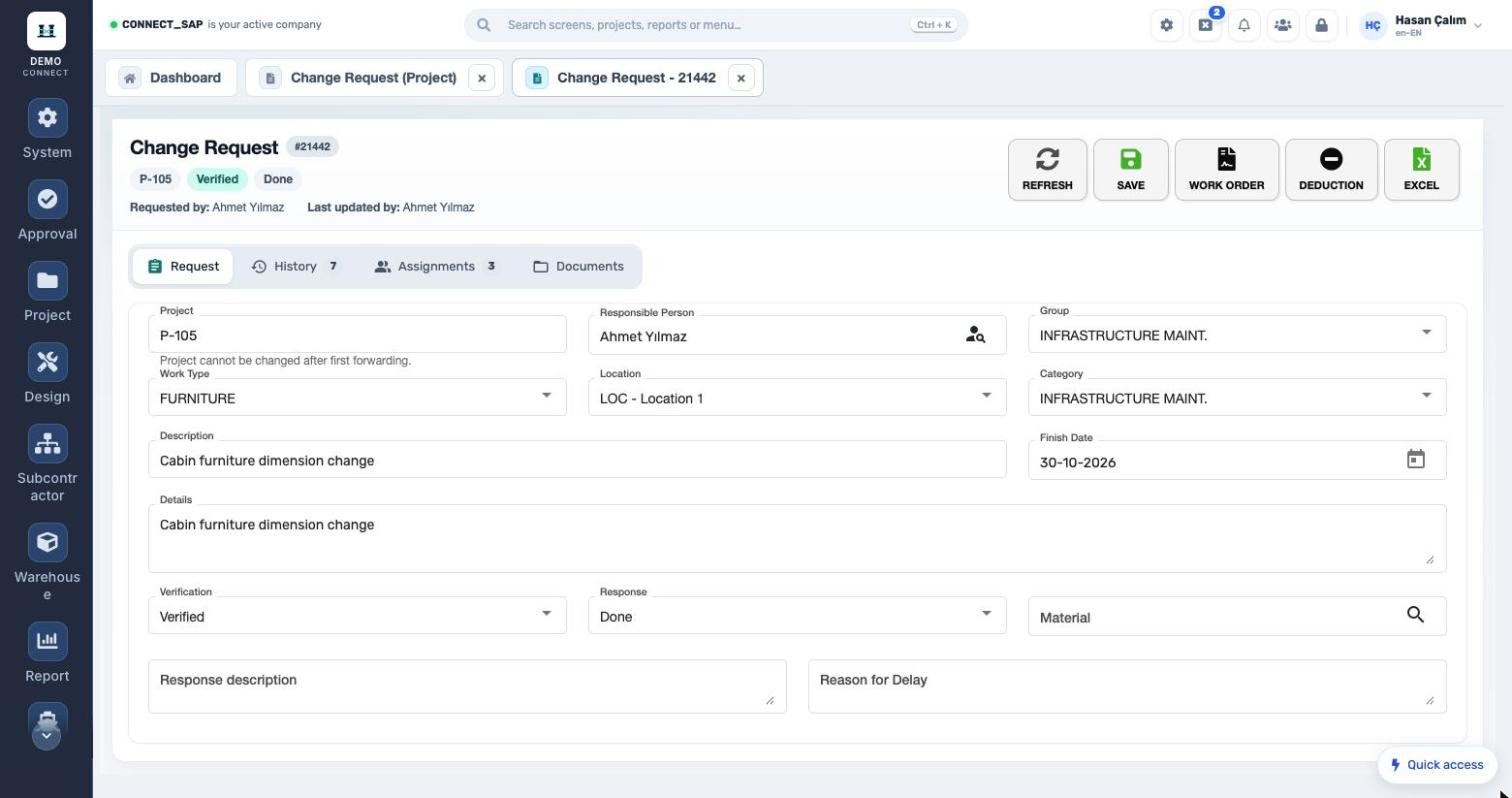
REQUEST DETAILS
The change, with its cost.
Project, owner, group, work type, location, category, verification, response, material and delay reason on one form. Work order and deduction buttons; history, assignments and documents in tabs.
Non-conformance requestProcess-specific non-conformance requests, with the same forwarding and tracking as change requests.
Extra work managementRecording and tracking extra work that falls outside the contract.
Calibration managementCalibration records managed in one place.
MODULE SCOPE
What’s in the menu?
Screens, definitions and reports in the Change Management module. Each user sees only the screens they are authorized for.
Classification
GroupCategoryWork typeLocation
Process statuses
StartForwardedTo doVerifiedDoneOverdue
Actions
CopyForwardTransfer requestWork orderDeductionExcel
See the Change Management module with your own data.
Request a demo
© 2026 SENTIA BİLİŞİM SAN. VE TİC. LTD. ŞTİ. · We listen · The right solution