
MODULE 03

Subcontractors & Progress Payments

Turn subcontractor contracts from quotation into published contracts, site progress into progress payments, and payments into SAP Business One documents. One record, no double entry.
3contract typesSAP B1payment document and ERP order6ready-made subcontractor reports
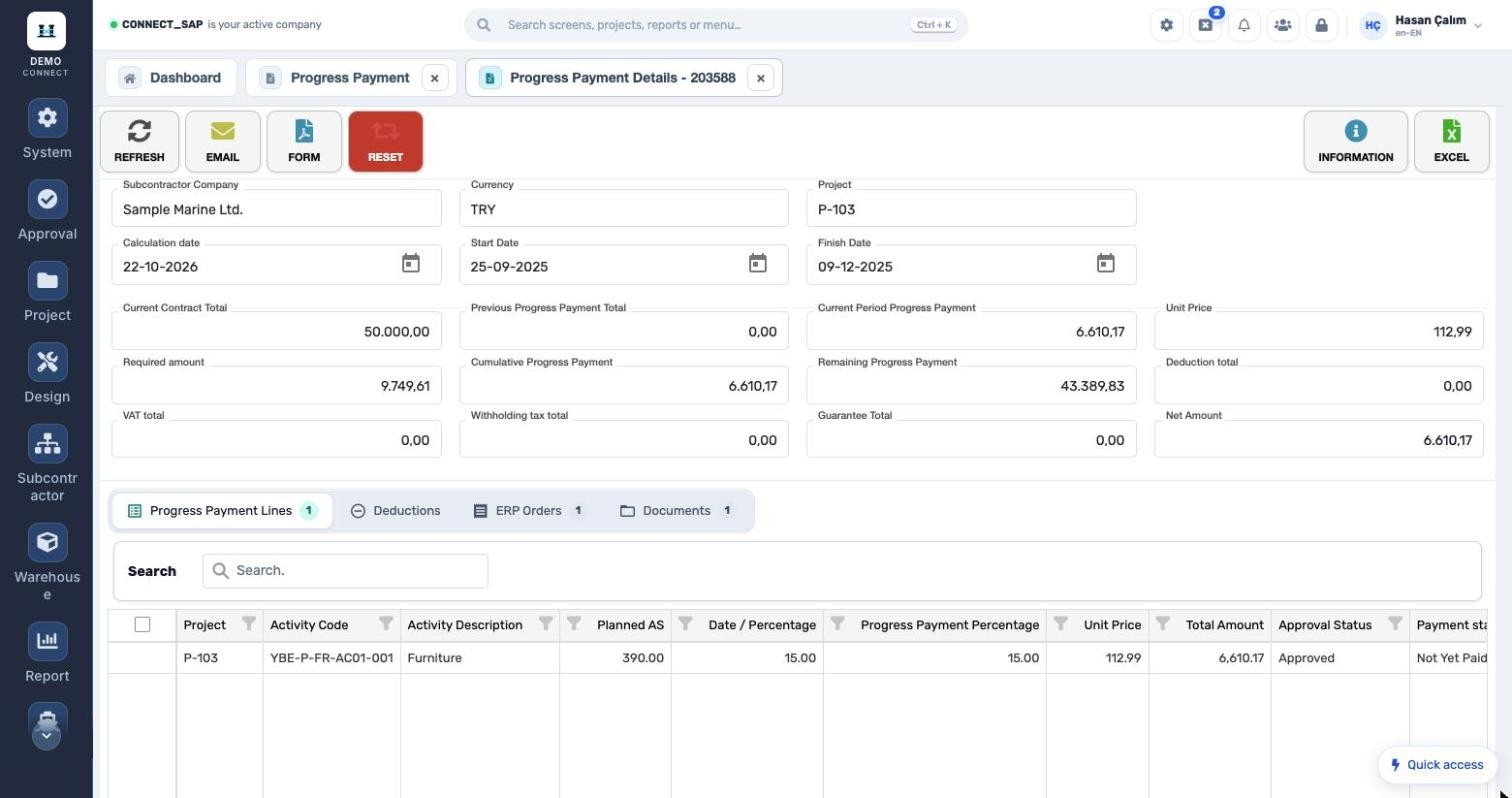
Progress payment details: cumulative, remaining and net amount

Three problems Subcontractors & Progress Payments solves

PROBLEMContracts live in email and spreadsheets; budget overruns surface after the payment is made.
CONNECTEvery contract has budget, approval and maximum limit amounts; the budget vs. payment report shows the remaining amount live.
PROBLEMProgress payments are calculated by hand from site percentages; deductions and guarantees get missed.
CONNECTPayment lines come from activity progress; deductions, VAT, withholding tax and guarantees are calculated automatically.
PROBLEMApproved payments are entered a second time in accounting.
CONNECTThe payment document and ERP order are created in SAP Business One; the status shows on the payment list.

How does it work?

  1. 1Prepare the contractCollect and approve quotations; choose the type: activity-, contract- or pipe (spool)-based.
  2. 2Publish itDefine amounts, VAT exemption, currency, guarantees and framework purchase/sales links.
  3. 3Progress and man-hoursSite progress is booked to activities, subcontractor man-hours to the contract.
  4. 4Payment and SAPThe payment is calculated, sent as a PDF form by email, and the SAP document is created.
CONTRACTS

Three contract types, one list.

Pipe-based, contract-based and activity-based contracts listed by series and project; status, contract no., amount, guarantee, budget, maximum limit and framework details in the columns.
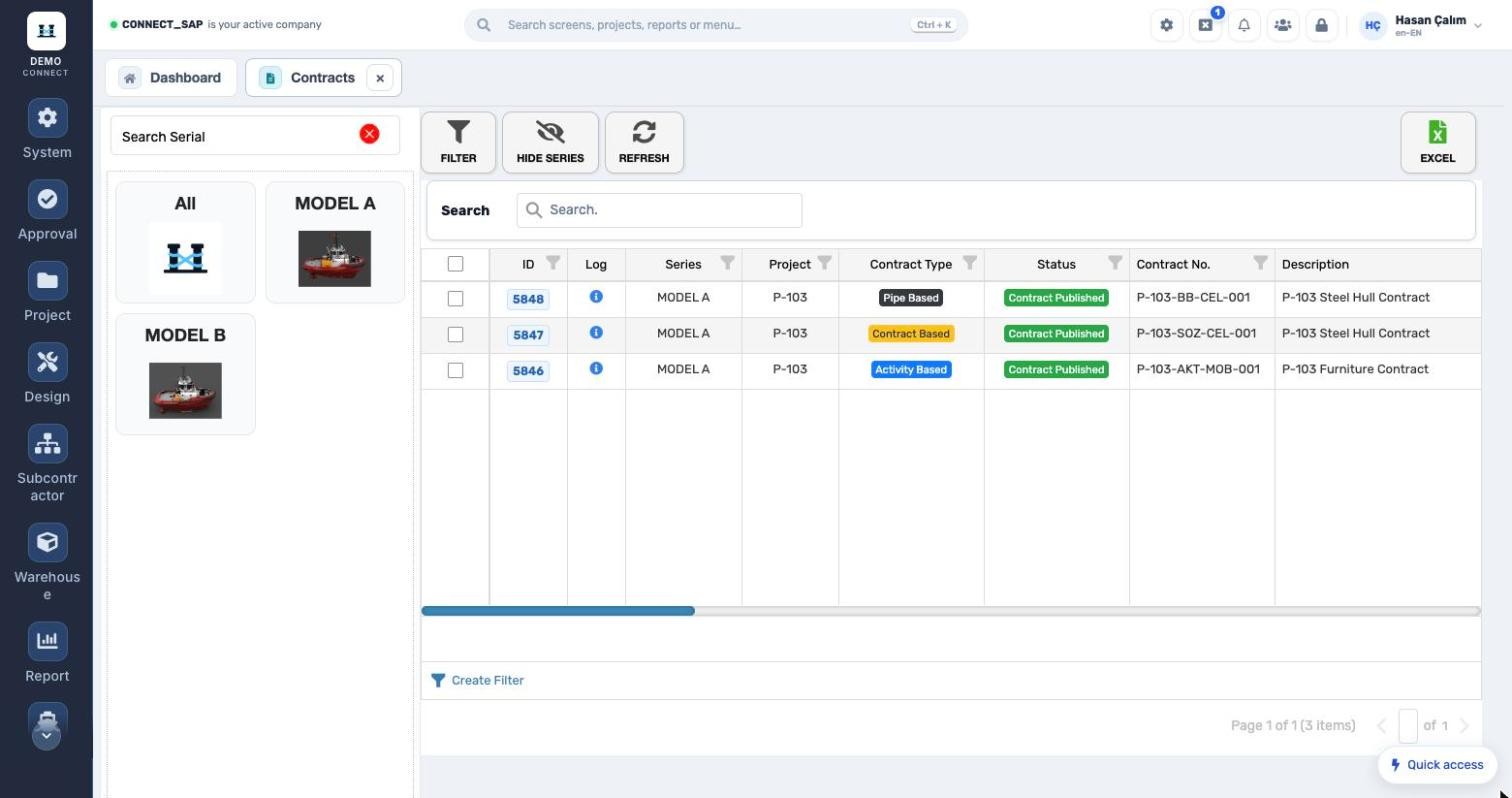
Three contract types, one list.
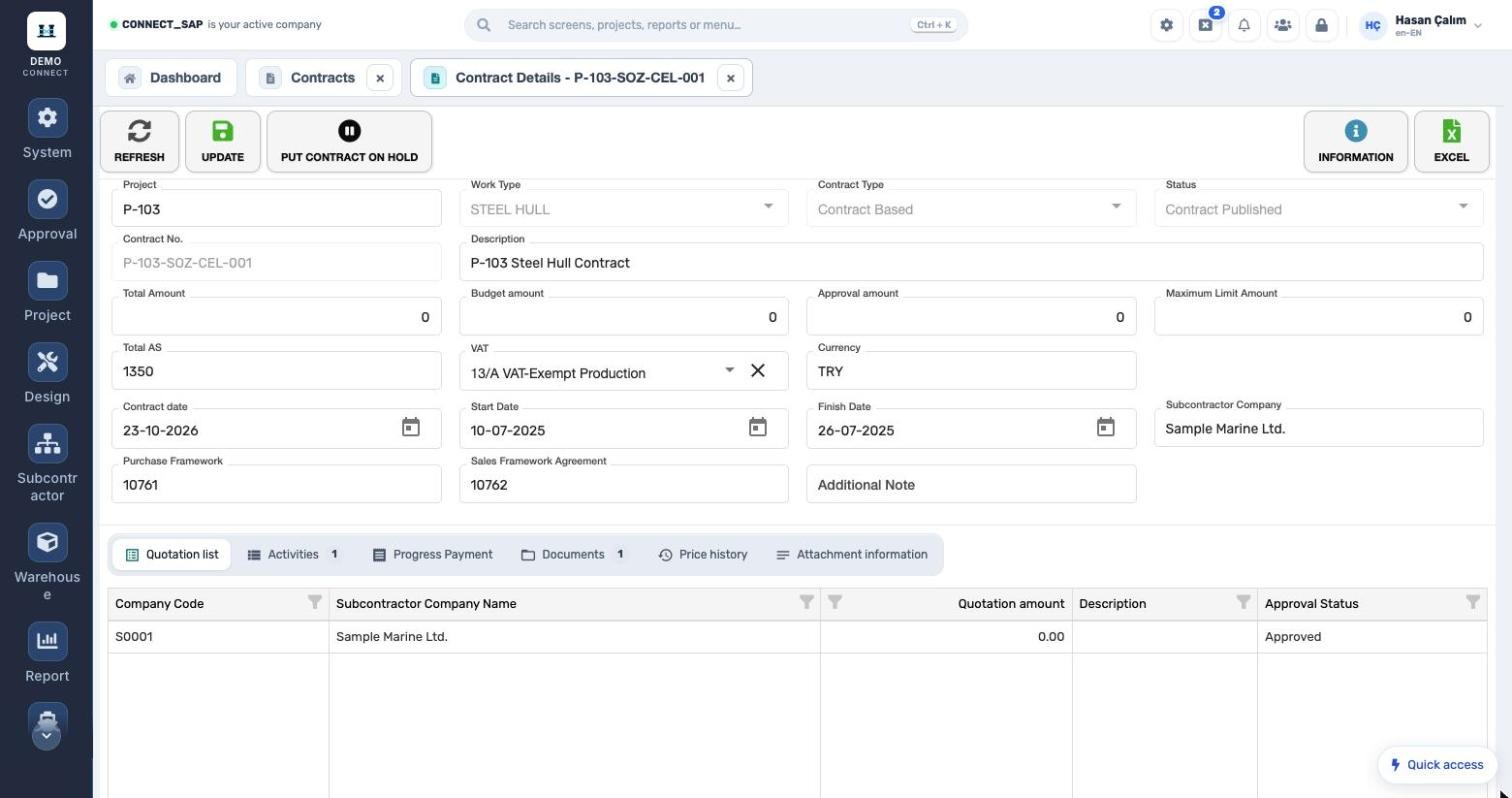
Cost control built into the contract.
CONTRACT DETAILS

Cost control built into the contract.

Total, budget, approval and maximum limit amounts; VAT exemption, currency and subcontractor on one form. Sub-tabs for quotations, activities, progress payments, documents, price history and attachments. Contracts can be put on hold.

PROGRESS PAYMENT

From progress to net amount.

Current contract total, previous and current-period payment, cumulative and remaining amount; net amount after deductions, VAT, withholding and guarantee. ERP orders and documents in sub-tabs; the form exports to PDF and goes out by email.
From progress to net amount.
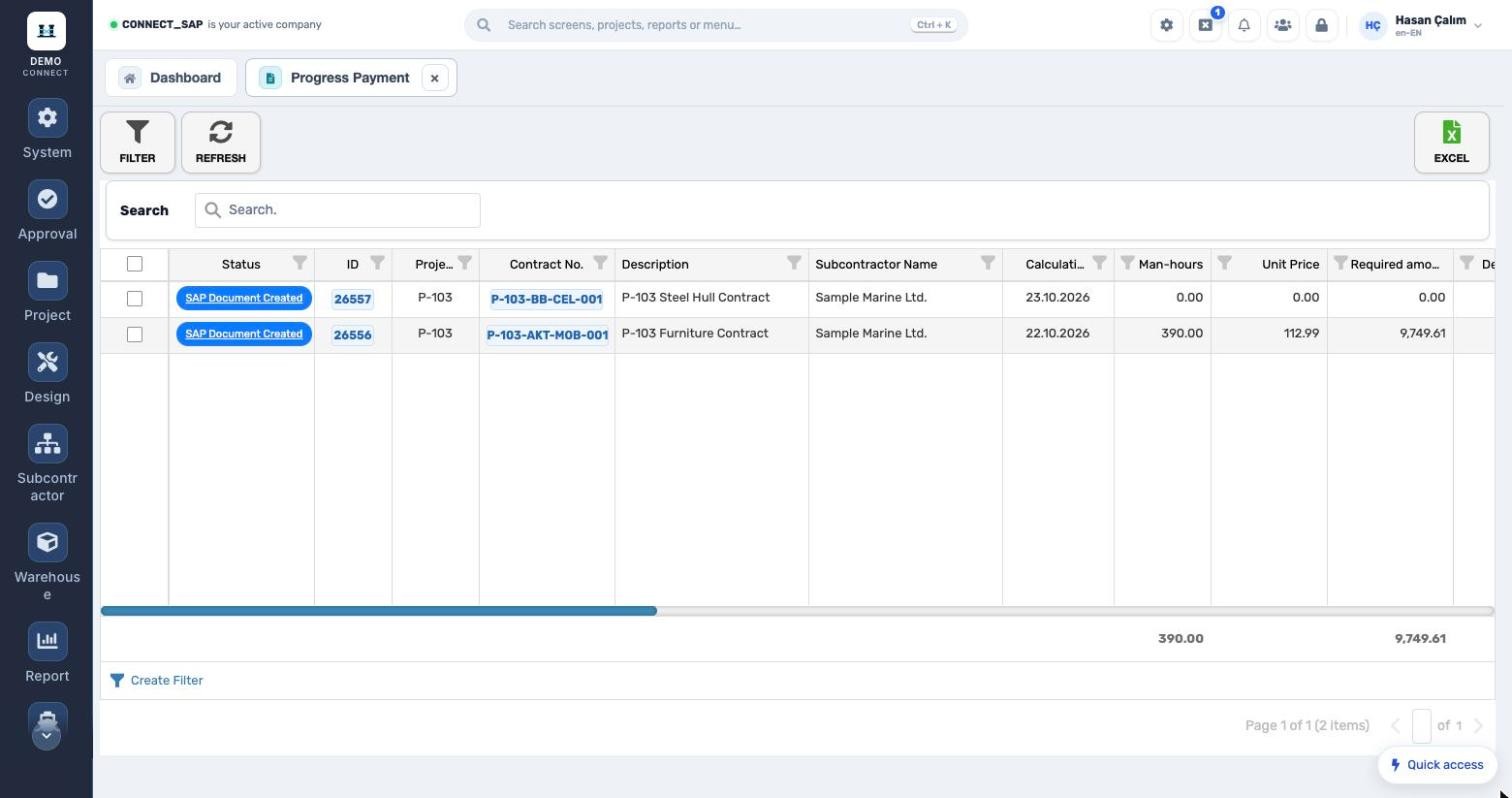
PROGRESS PAYMENT LIST Has the SAP document been created? SAP document status, man-hours, unit price and required amount for every payment. Has the SAP document been created?
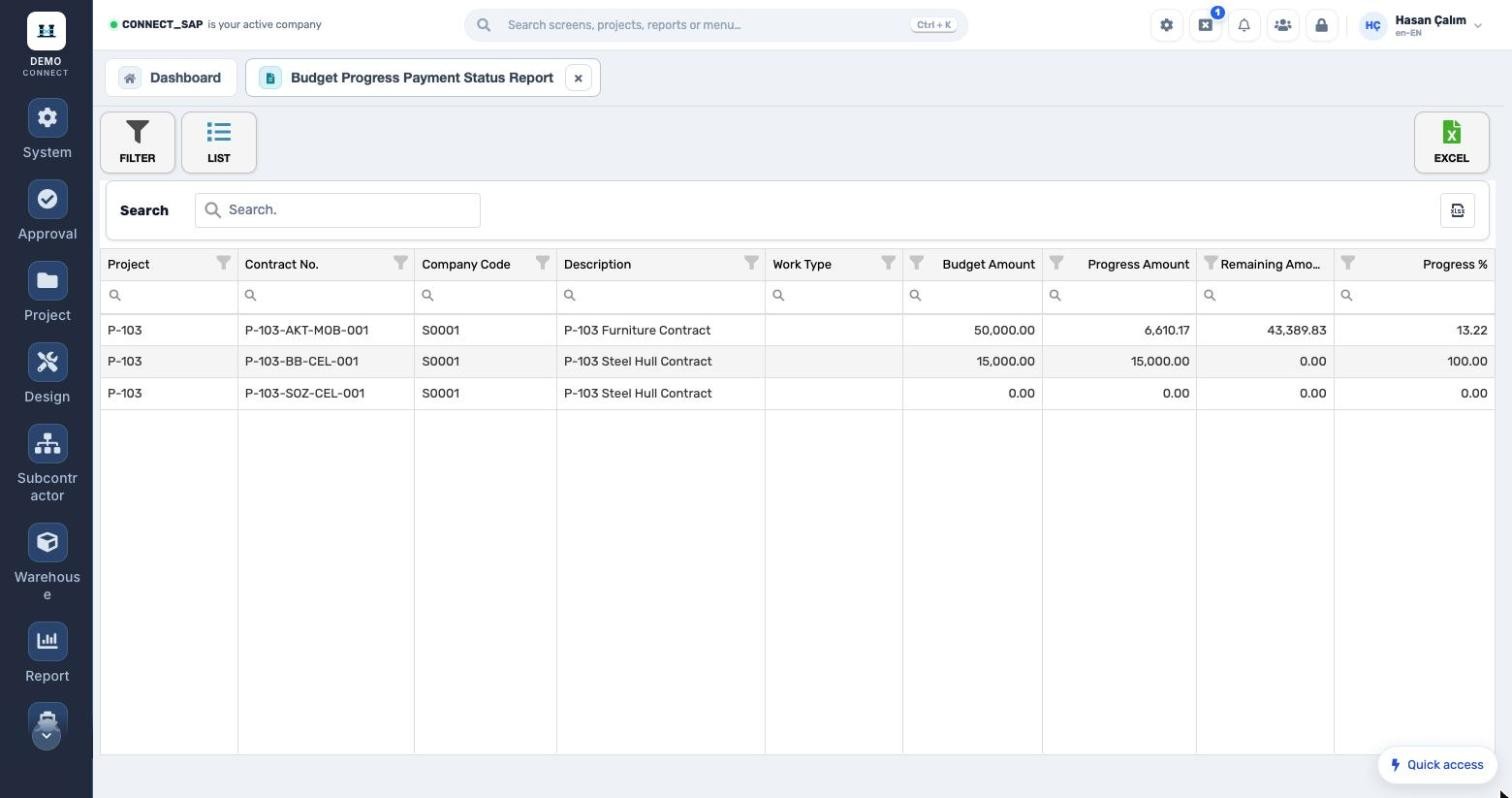
BUDGET VS. PAYMENT Remaining amount per contract. Budget, amount paid, remaining amount and payment percentage, by work type or by contract. Remaining amount per contract.
MODULE SCOPE

What’s in the menu?

Screens, definitions and reports in the Subcontractors & Progress Payments module. Each user sees only the screens they are authorized for.

Contract operations
Contract preparationPayment calculationGuaranteesDeductionsSubcontractor man-hours
Contract definitions
Deduction typeSubcontractor work type priceProject budget priceSpool materialSpool stagesSpool diameters
Subcontractor reports
Man-hoursContract statusEmployeeActivity man-hoursContract revisionBudget vs. payment status
See the Subcontractors & Progress Payments module with your own data. Request a demo
© 2026 SENTIA BİLİŞİM SAN. VE TİC. LTD. ŞTİ. · We listen · The right solution