
Stock & Warehouse
Material is reserved, picked and tracked together with the project and activity it was requested for. What’s in stock, what’s available, who took it: all on one screen.
Three problems Stock & Warehouse solves
How does it work?
- 1RequestThe site requests material by selecting project and activity; urgent requests are flagged.
- 2Approve and reserveThe request is approved and stock is reserved in the requesting warehouse.
- 3Pick and issueMaterial is picked; in-house or subcontractor and the receiving person are recorded.
- 4Transfer and returnInter-warehouse transfers, returns and receipt cancellations in the same module.
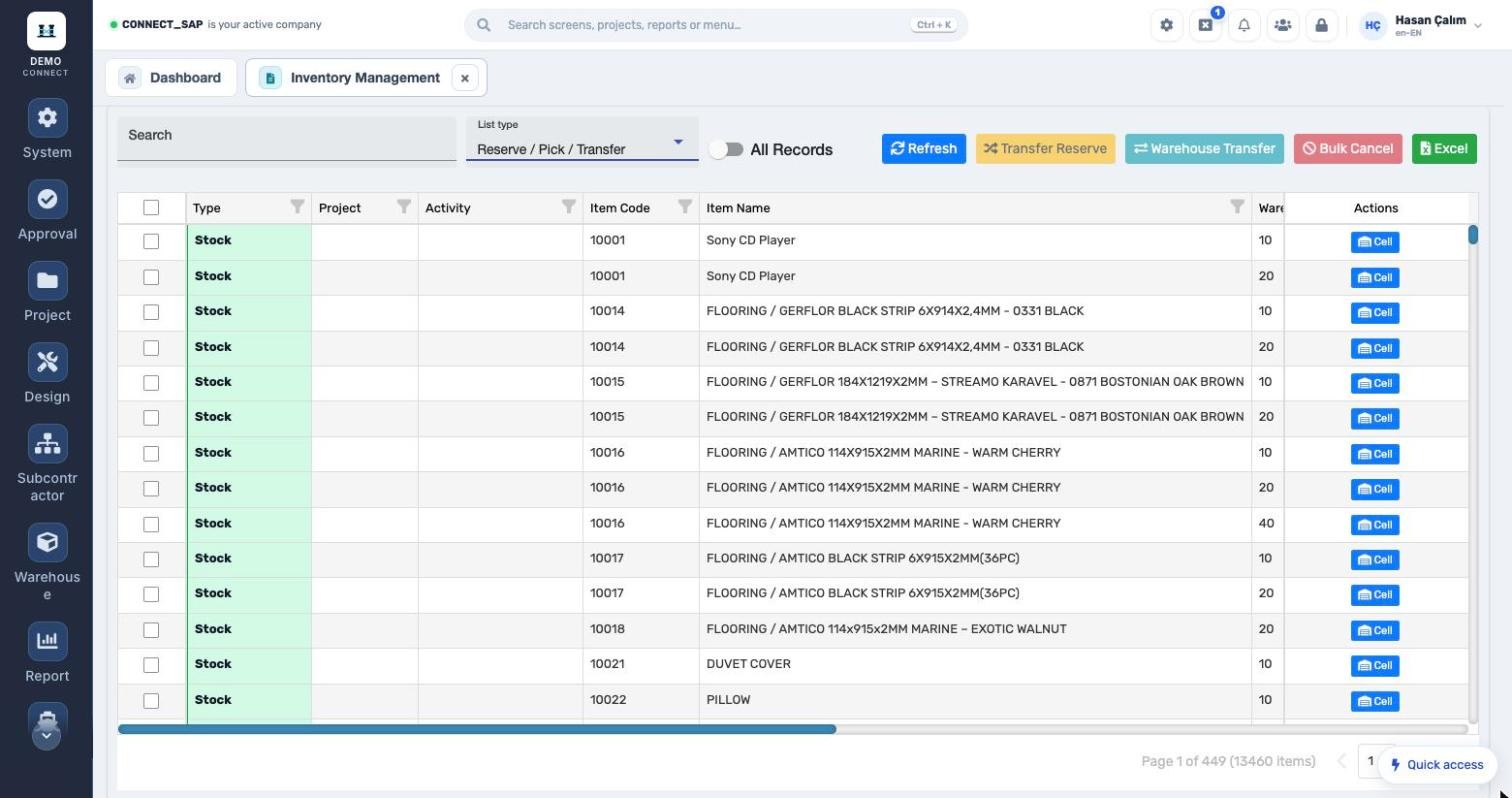
Available stock, not just balance.
Stock is listed by warehouse, serial / batch, balance and available quantity; reservations show with project and activity. Reserve transfers, warehouse transfers and bulk cancellations happen here, and the cell location opens in one click.
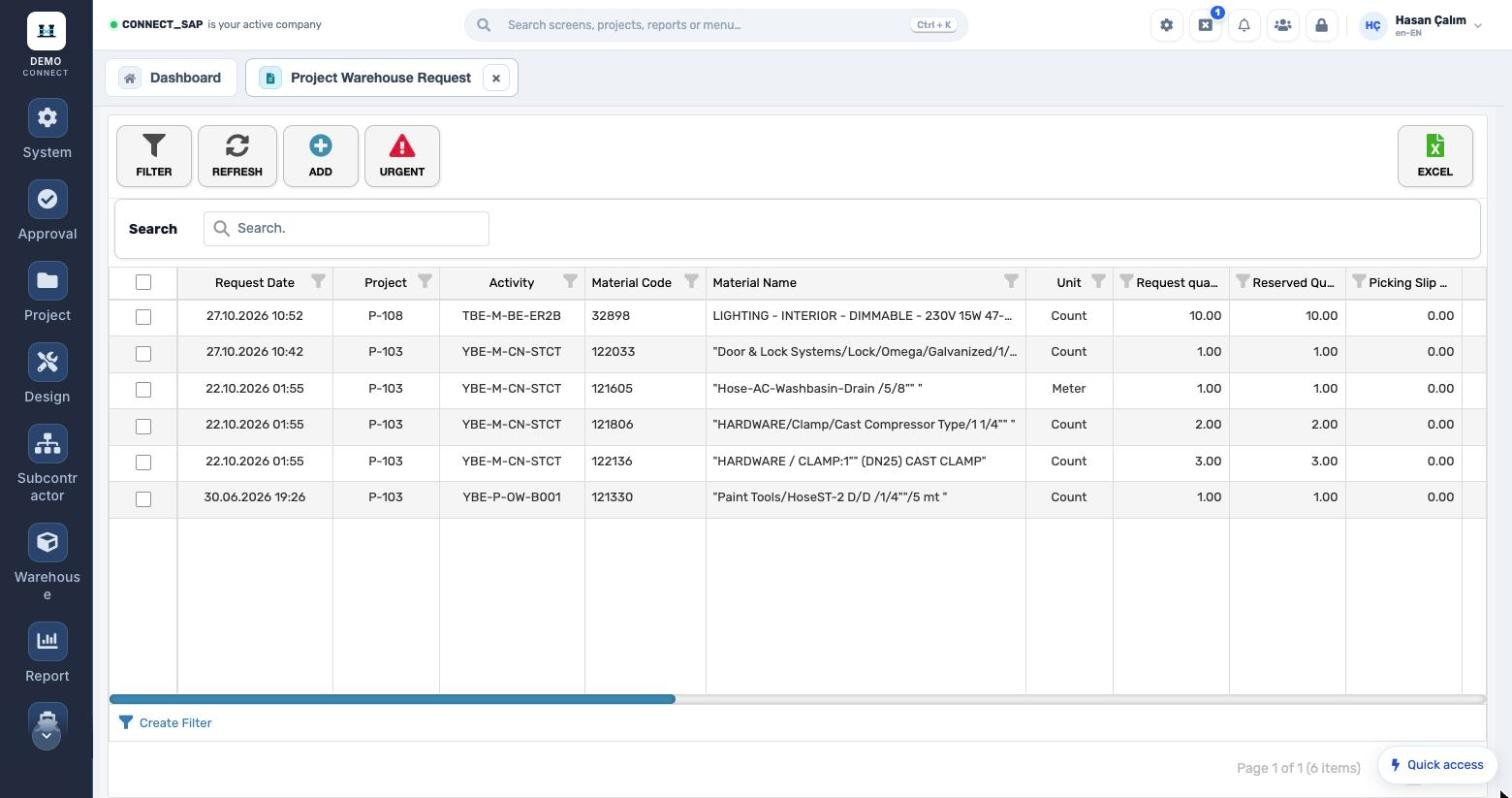
Material issued against an activity.
Requested, reserved and picked quantities are tracked separately; in-house / subcontractor, the person collecting the pick, approval status and approver are on the record.
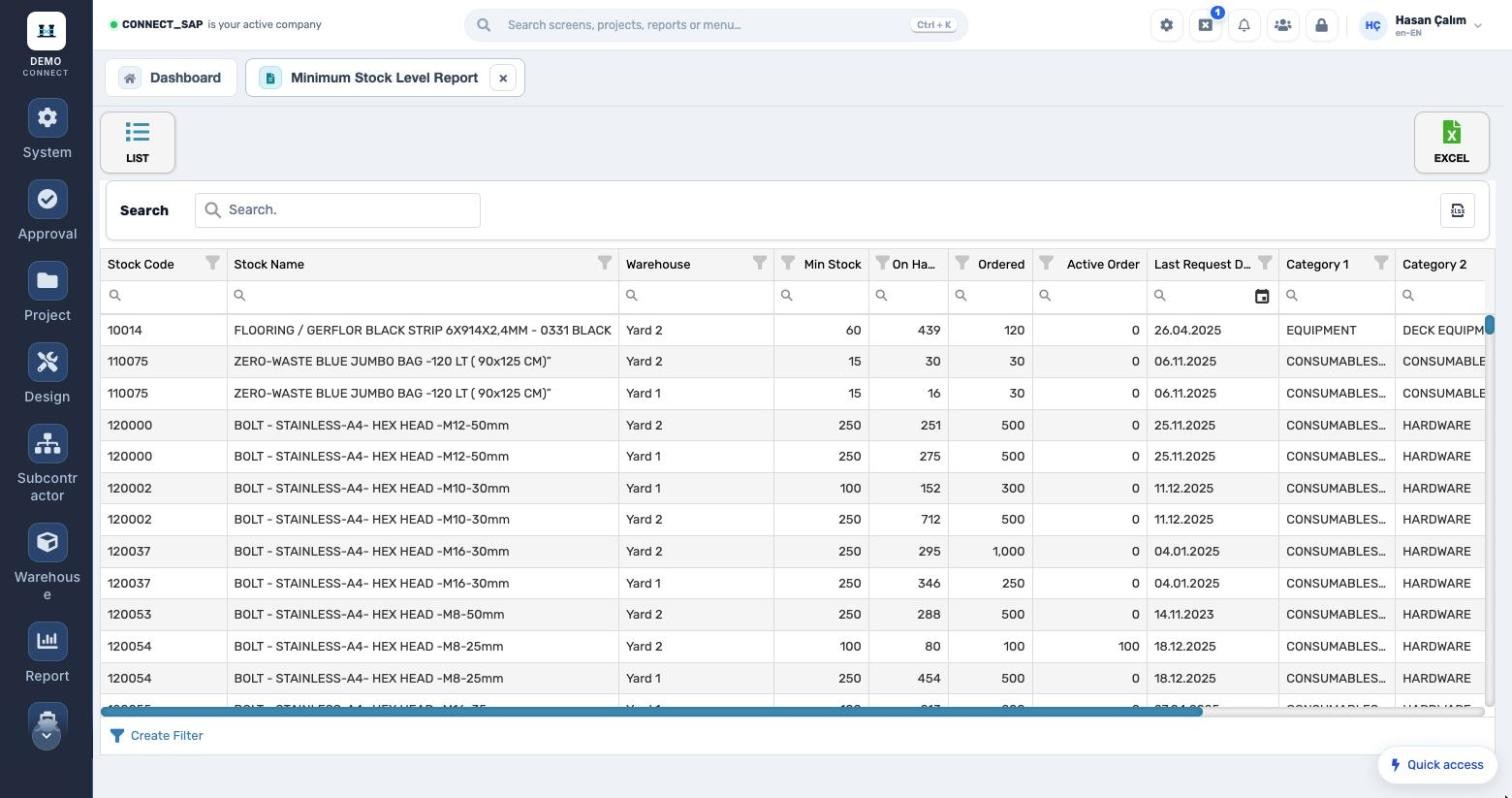
Order before it runs out.
Minimum stock, on hand, suggested order, active order and last request date per warehouse, with category breakdown.
What’s in the menu?
Screens, definitions and reports in the Stock & Warehouse module. Each user sees only the screens they are authorized for.