MODULE 02

Design

Link design outputs, revisions and material lists to the project, activities and man-hours, so nobody has to ask which revision is current.
Draft → Publishedlocked revision flowExcelbulk material upload via templateCalendardesign work entry
Design details: documents and material items

Three problems Design solves

PROBLEMDesign outputs sit in folders; every time, someone asks which revision is valid.
CONNECTEvery design record is kept with draft and published status, revision number and description; once published, the record is locked.
PROBLEMDesign material lists are retyped into purchasing again and again.
CONNECTMaterial items are mapped to activities; transfer status, request number and request status are tracked from the design record.
PROBLEMNobody knows how much effort the design team spends on each project.
CONNECTWork is entered on a calendar by project, section and work group; man-hours are reported.

How does it work?

  1. 1Open a design recordSelect project, category and system no. type; assign design owners.
  2. 2Add documents and itemsUpload images and documents; enter material items one by one or via the Excel template.
  3. 3Map and publishDocuments and items are mapped to project activities; the record locks when published.
  4. 4Turn into requestsMaterials move into the request and purchasing process; transfer status shows on the record.
DESIGN LIST

Every project’s designs, with their status.

Series, revision, draft / published status, ERP transfer status and description, material availability and category in one list. Add single or multiple records and export to Excel.
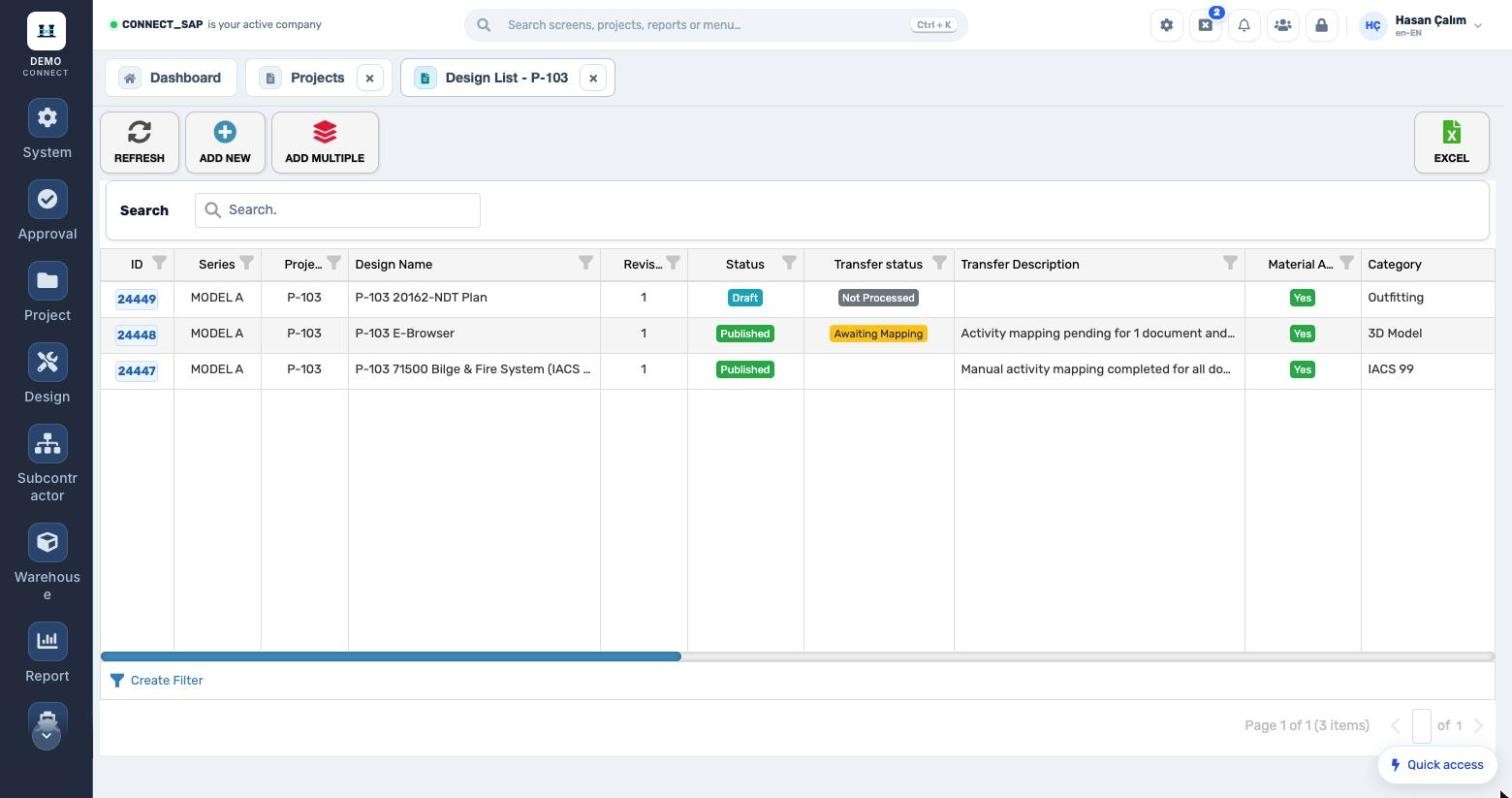
Every project’s designs, with their status.
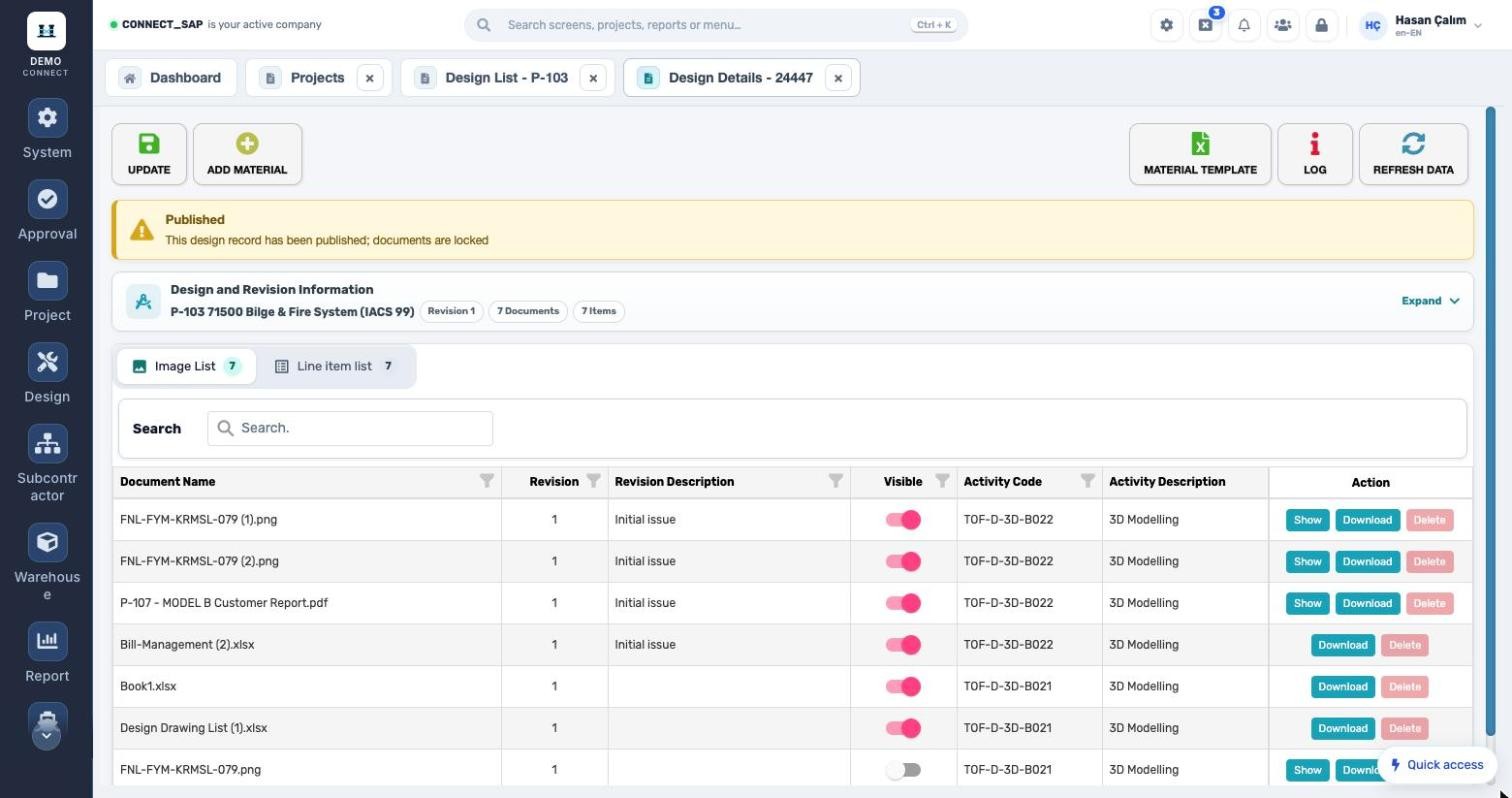
Documents and material items on the same record.
DESIGN DETAILS

Documents and material items on the same record.

Revision, document count and item count at a glance. Every document in the image list is kept with its revision, visibility and activity; open it in the system or download it. Changes are kept in the log.

WORK ENTRY

Design man-hours from a calendar.

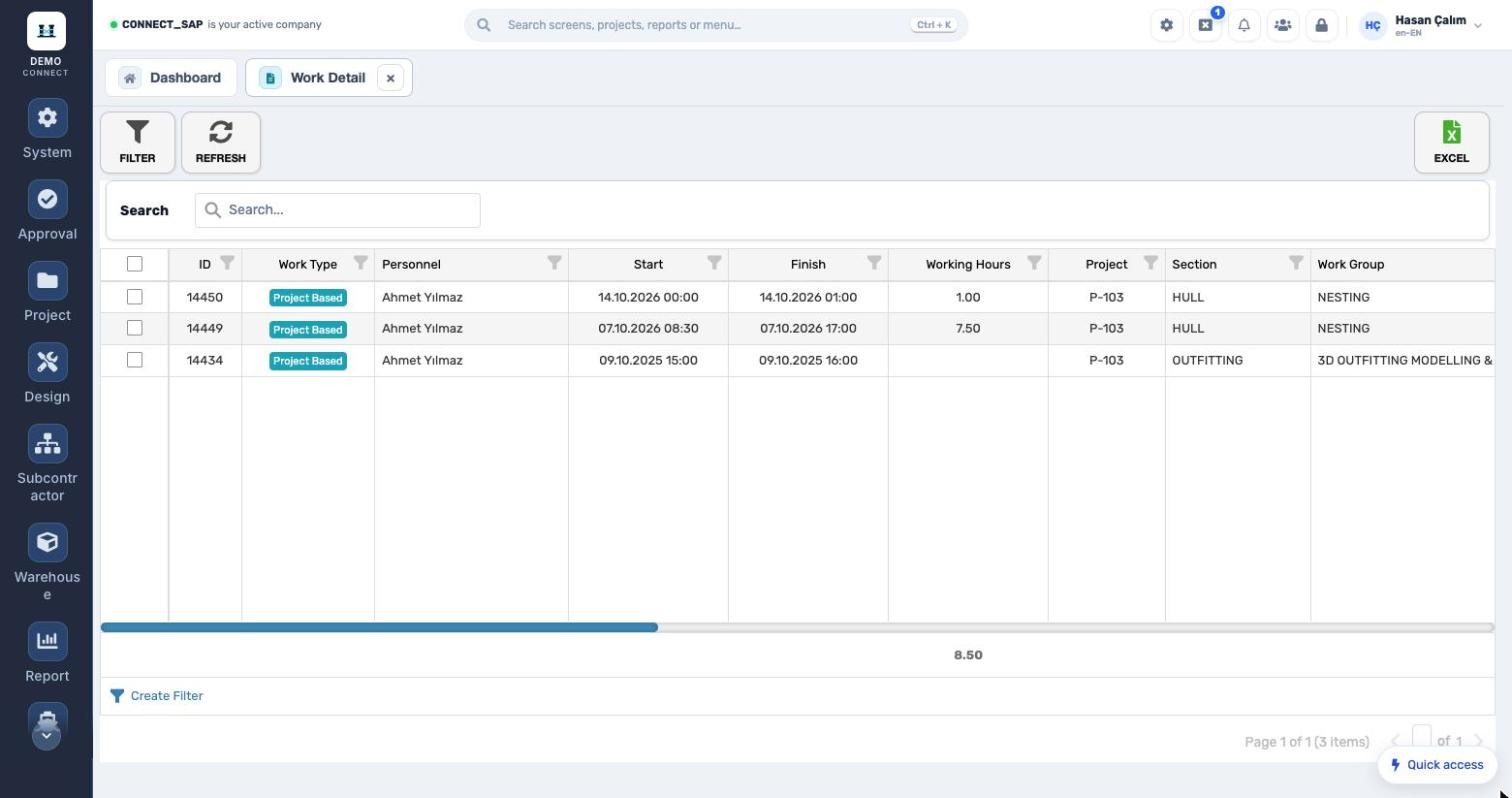
The design team logs work on a monthly calendar; the side panel totals the month’s hours per project. The work detail screen breaks it down by section, work group and revision.
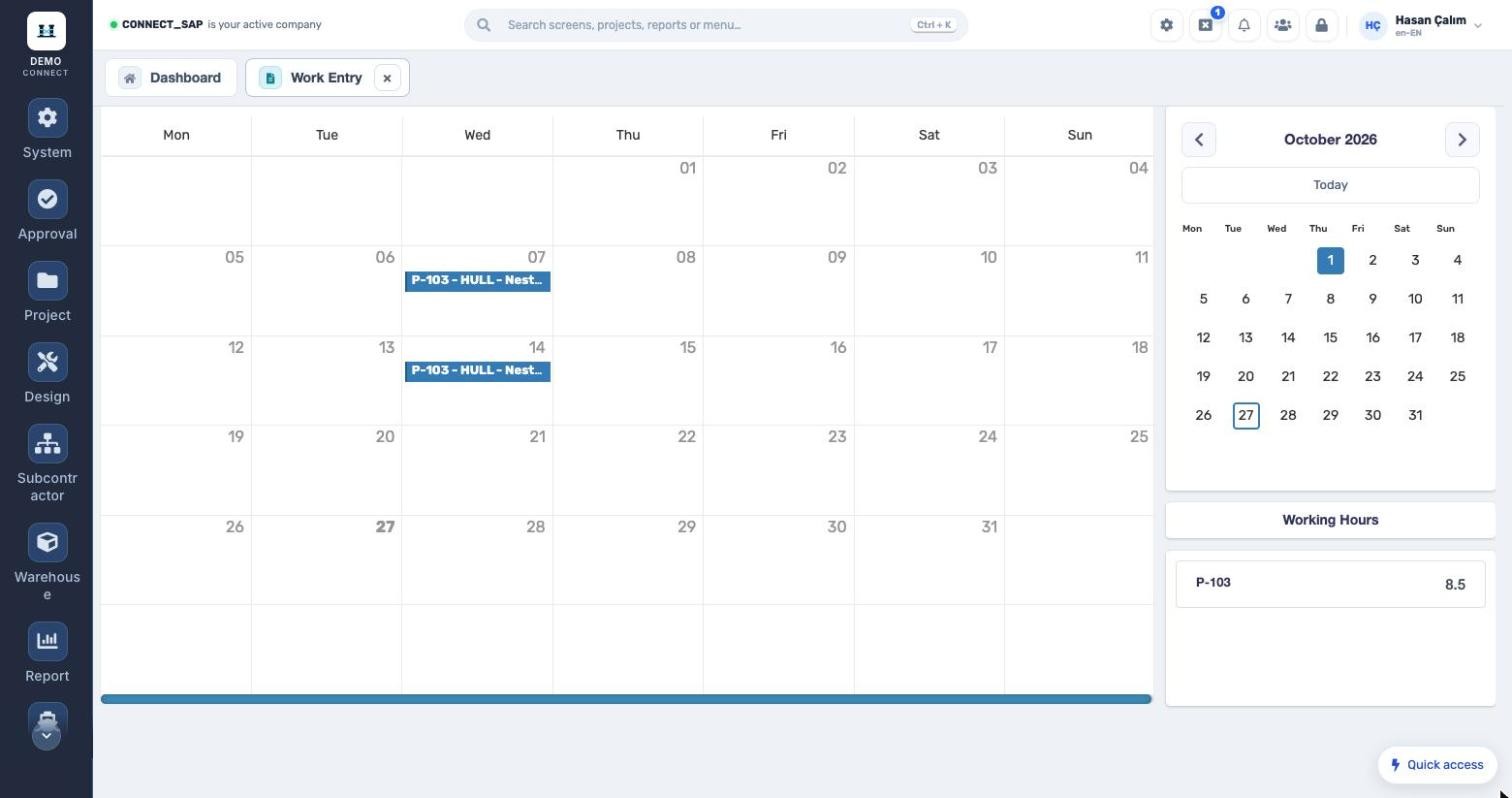
Design man-hours from a calendar.
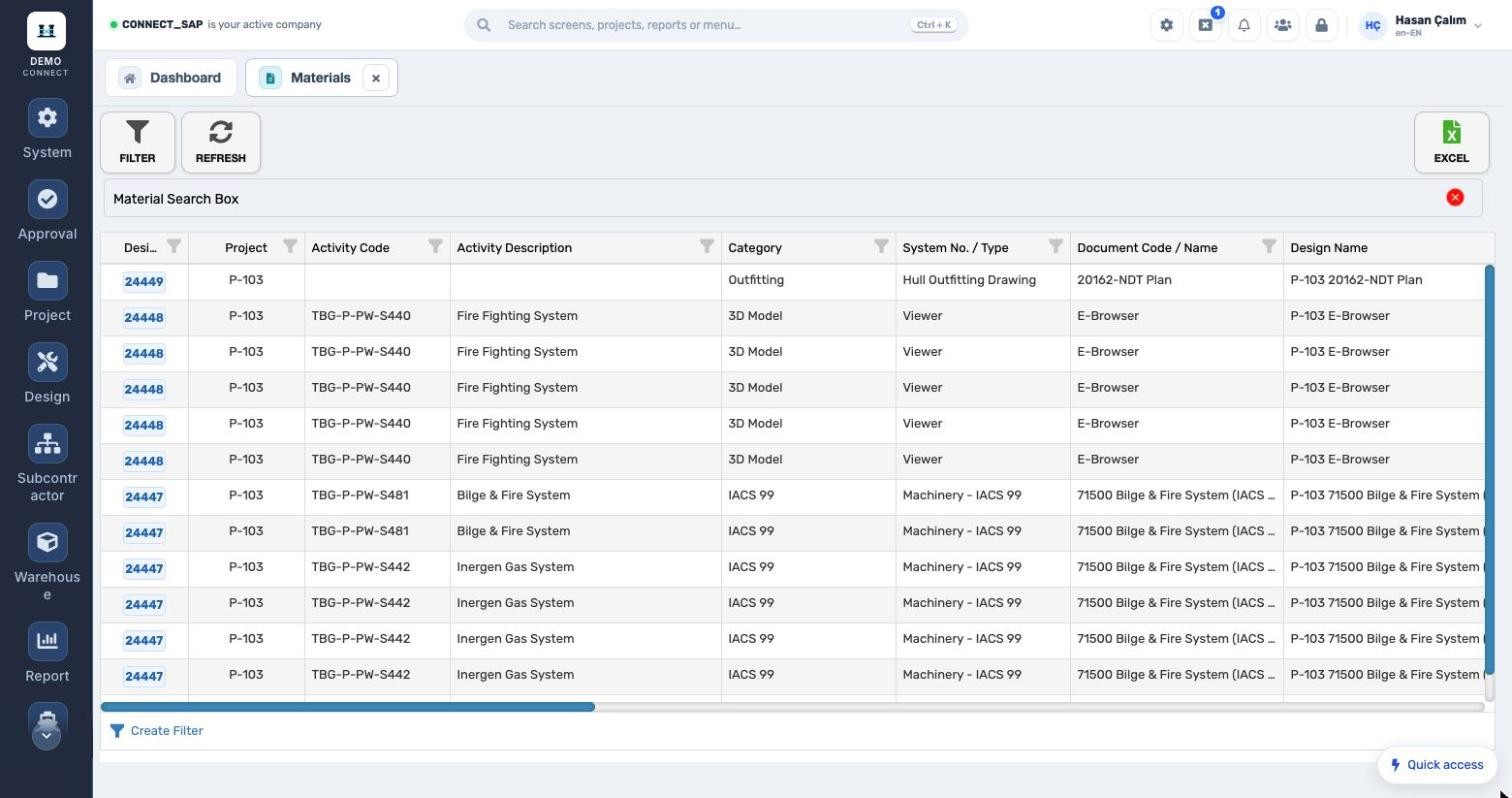
DESIGN MATERIALS Design materials across all projects. With activity code, category, system no. type and document code; request no. and status show the hand-over to purchasing. Design materials across all projects.
WORK DETAIL Who worked on which project, and for how long? Person, start/finish, hours, project, section, work group and job description; total hours in the footer. Who worked on which project, and for how long?
MODULE SCOPE

What’s in the menu?

Screens, definitions and reports in the Design module. Each user sees only the screens they are authorized for.

Design definitions
Category 1–3Man-hour category 1–3Man-hour categoryDesign–activity mapping
Design management
ProjectsMaterialsDocumentsWork entryWork detailInformation requestChecklistDesign report
See the Design module with your own data. Request a demo
© 2026 SENTIA BİLİŞİM SAN. VE TİC. LTD. ŞTİ. · We listen · The right solution